Description
ShowFPS
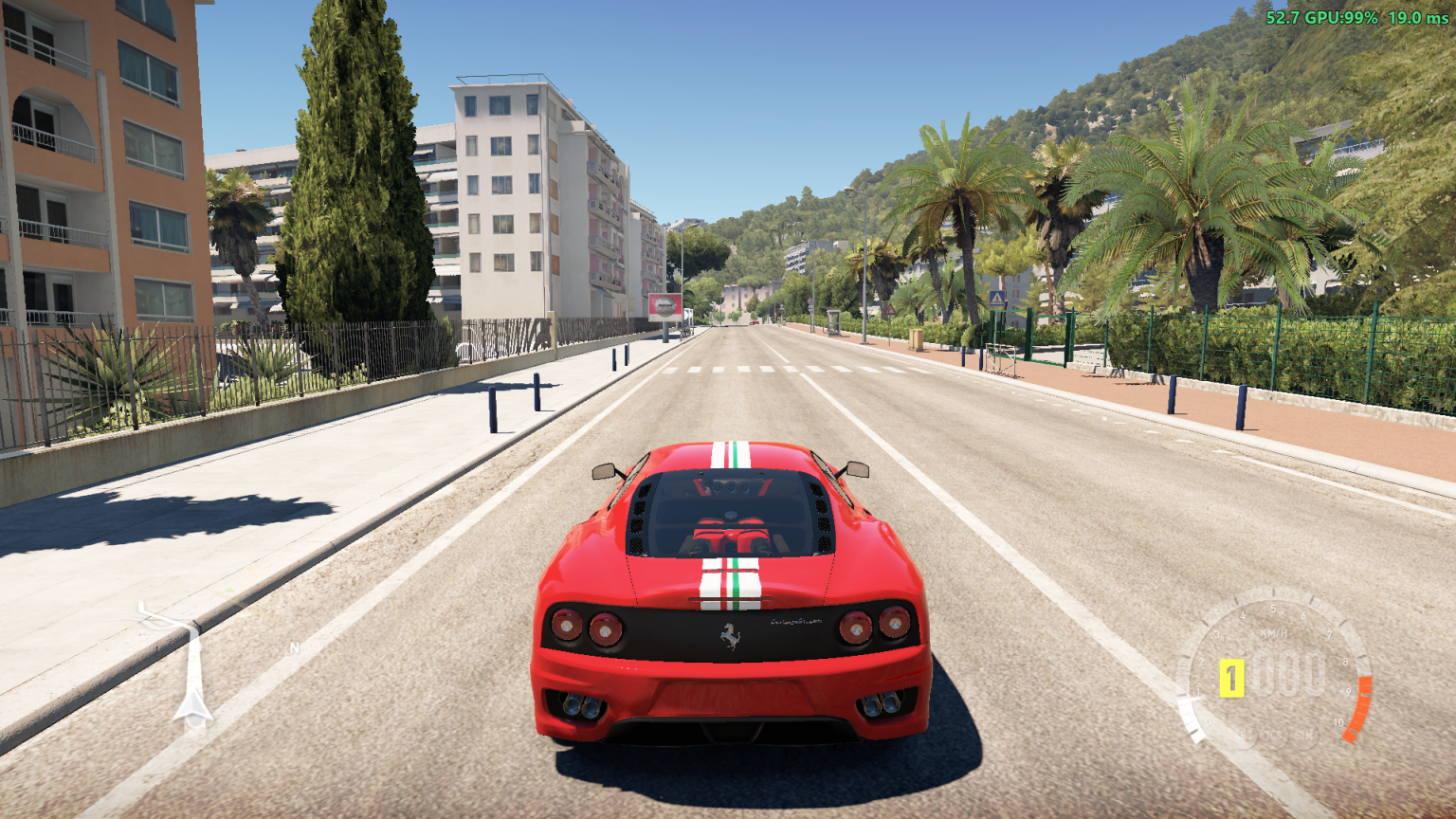
A real-time, hardware-accurate in-game FPS and frametime overlay mod for Forza Horizon 2 on PC, built on the FH2 Mod Platform for the Azimuth compatibility layer.


Features
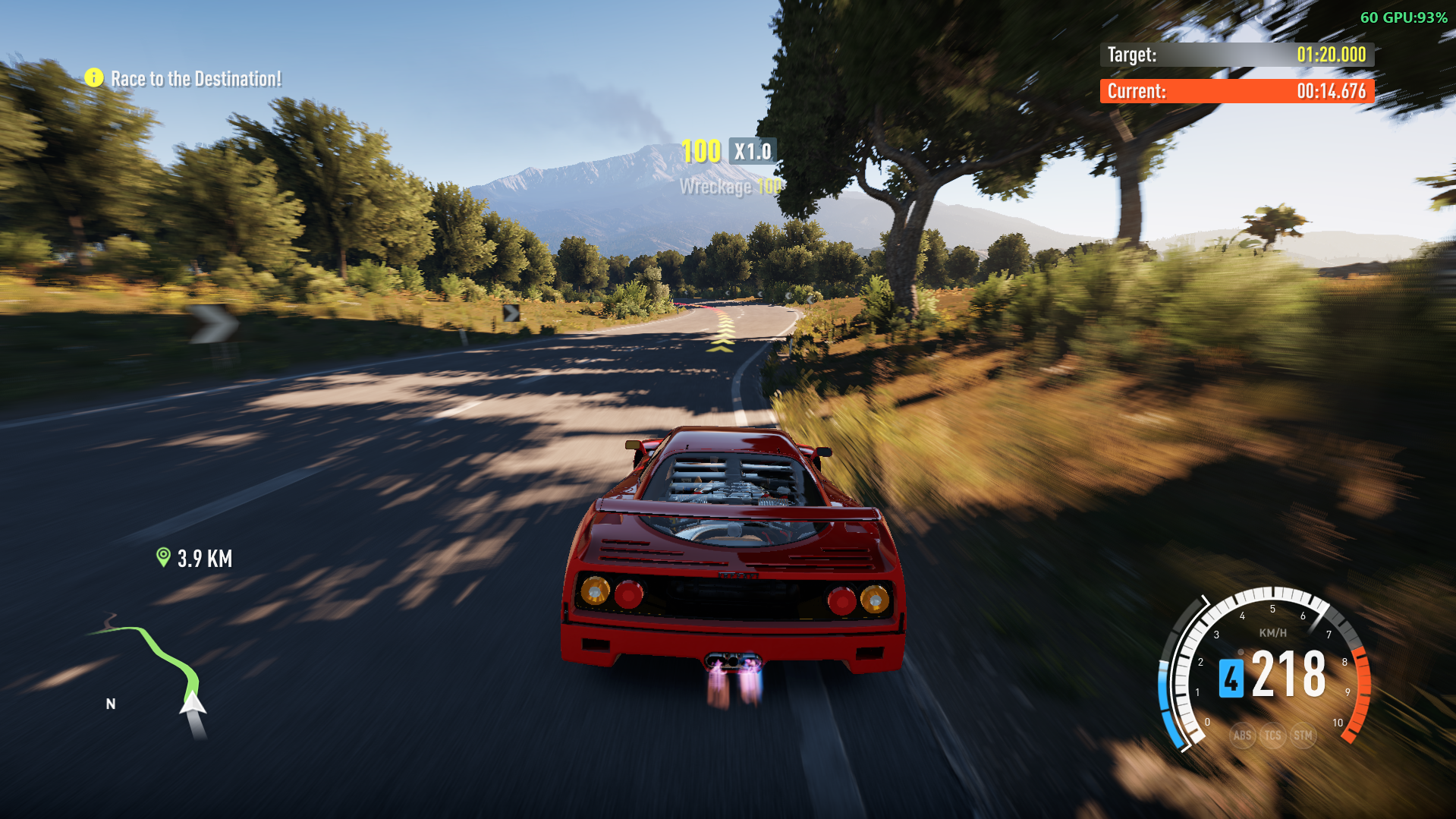
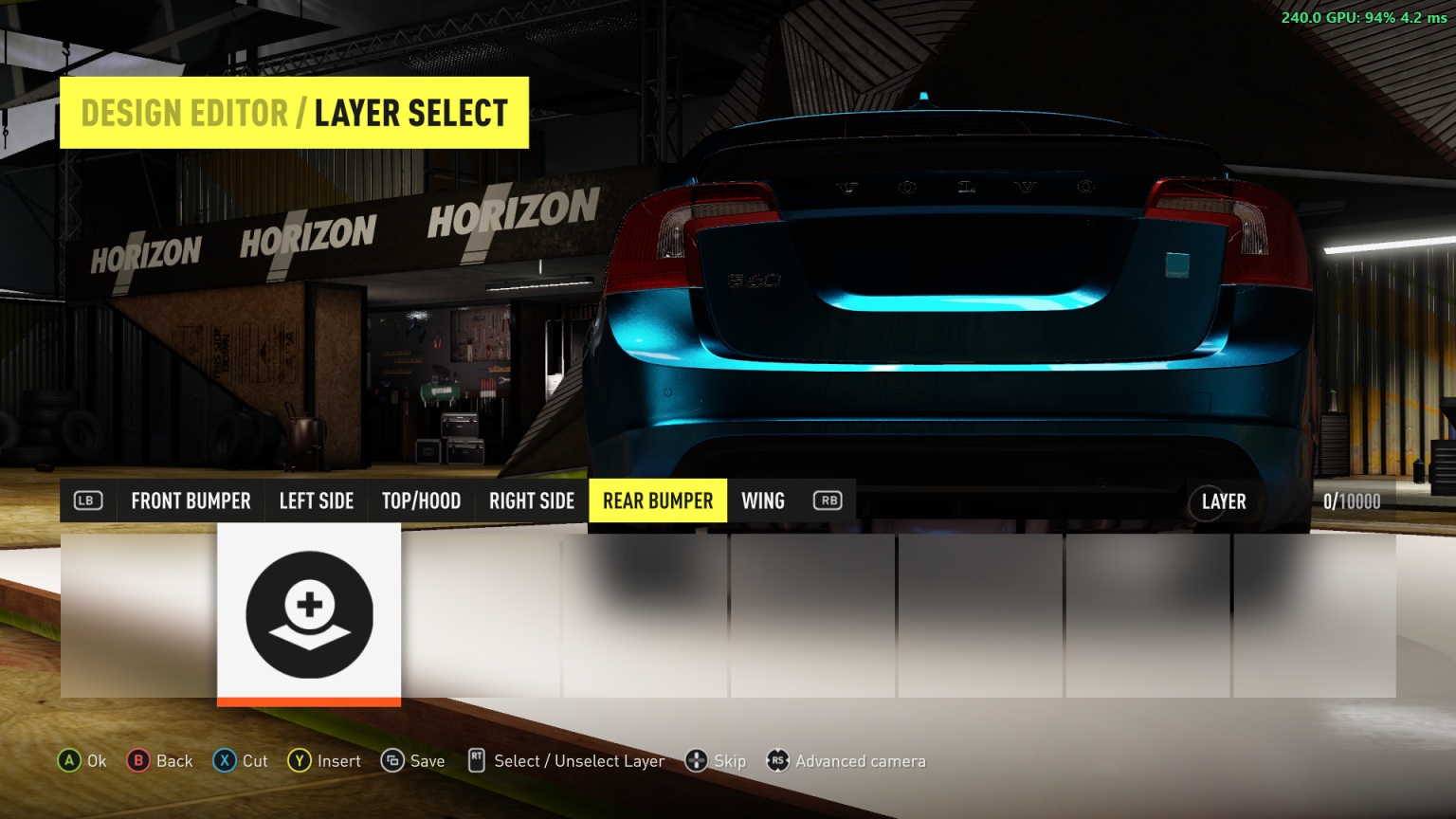
- Real-Time FPS & GPU Utilization: Displays current framerate alongside real-time GPU load percentage in the modern gaming format (e.g.
60 GPU:84%). - Universal GPU Support: Combines high-speed NVML (NVIDIA) with universal Windows Performance Counters (PDH) fallback for AMD Radeon, Intel Arc, and integrated GPUs.
- Hardware-Accurate Timing: Hooks directly into
IDXGISwapChain::PresentandIDXGISwapChain1::Present1using the platform's MinHook integration, measuring exact delta times and frame rates between GPU presentation calls. - Customizable HUD Layout: Tight, modern margins placed right against the screen border so it sits neatly out of the way of the in-game CR counter and HUD elements.
- Background Pill or Transparent Text: Option to show a translucent rounded pill badge or pure text with a crisp dark outline.
- Customizable Font Size & Text Colors: Choose between font sizes (12px to 32px) and text colors (Pure White, Emerald Green, Amber Gold, Cyan, Coral Red, or Dynamic color by framerate).
- In-Game Settings Integration: Seamlessly integrated into the game's native menu under Pause > Settings > MODS:
- Show FPS Counter: Toggle overlay visibility
- Show GPU Usage (%): Toggle GPU load percentage display (e.g.
60 GPU:84%) - Show Frame Time (ms): Display frametime next to FPS (e.g.
60 GPU:84% 16.6 ms) - Show Background Box: Toggle background box on/off (off = text with outline only)
- Font Size (Slider): Adjust overlay text size from 12 to 32 pixels
- Text Color Preset (Slider): 0=White, 1=Green, 2=Yellow, 3=Cyan, 4=Red
- Dynamic Color by FPS: Color text by framerate ($\ge$ 50 Green, 30–49 Yellow, < 30 Red)
- Corner Position: Switch between Top-Right and Top-Left
- Detailed Decimal FPS: Toggle integer vs. decimal precision (e.g.
59.8 GPU:84%)
- Quick Hotkey: Press F11 anytime while driving to toggle the overlay on and off instantly.
- Zero Input Interference: Built with a high-performance transparent layered window (
WS_EX_TRANSPARENT | WS_EX_LAYERED | WS_EX_NOACTIVATE) that passes all mouse, keyboard, and controller inputs directly to the game. - Auto-Hiding: Automatically pauses and hides when the game is minimized or when you Alt+Tab out of the game window.
- Persistent Configuration: Saved in
ShowFPS\ShowFPS.ininext toazimuth.exe.
Installation
- Download or build the release files.
- Extract the files into your Azimuth game folder (the folder containing
azimuth.exe):
azimuth.exe
DWrite.dll                  <-- The FH2 Mod Platform
fh2-mods/
  ShowFPS.dll               <-- The ShowFPS mod DLL
  ShowFPS.ini               <-- Configuration file (together with the DLL)
LICENSE-MinHook.txt
- Launch the game through Azimuth. The FPS counter will appear in the top-right corner.
- Press F11 to toggle the counter at any time, or configure options under Pause > Settings > MODS.
Configuration (ShowFPS.ini)
Settings can be changed either via the in-game MODS menu or by editing fh2-mods\ShowFPS.ini:
[ShowFPS]
; 1 = Show overlay, 0 = Hide overlay
Enabled=1

; 1 = Show GPU utilization percentage (e.g. 60 GPU:84%), 0 = Hide GPU usage
ShowGpuUsage=1

; 1 = Show frametime in ms, 0 = Hide frametime
ShowFrameTime=0

; 1 = Show translucent background pill, 0 = Text with outline only (no background box)
ShowBackground=1

; Corner Position: 0 = Top-Left, 1 = Top-Right, 2 = Bottom-Right, 3 = Bottom-Left
Position=1

; 1 = Decimal FPS (e.g., 59.8 FPS), 0 = Integer FPS (e.g., 60 FPS)
Detailed=0

; Text Color Preset: 0=White, 1=Green, 2=Yellow, 3=Cyan, 4=Red, 5=Dynamic
TextColorPreset=0

; 1 = Color text dynamically based on FPS, 0 = Use preset color
DynamicColor=0

; Font size in pixels (default 16, range 12 to 32)
FontSize=16

; Distance from screen border in pixels
MarginX=8
MarginY=6

; Background pill opacity (0 = transparent to 255 = solid, default 220)
BgAlpha=220

; Update interval in milliseconds (default 250 ms)
UpdateIntervalMs=250

; Virtual Key Code for toggle hotkey (122 = 0x7A = VK_F11)
ToggleHotkey=122
Building from Source
Prerequisites
- CMake 3.20 or newer
- Visual Studio 2022 (with "Desktop development with C++") or llvm-mingw
- Git
Build Instructions
# Clone with submodules (for the FH2 Mod Platform)
git clone --recurse-submodules https://github.com/BartholomewHo/ShowFPS.git
cd ShowFPS

# Configure build
cmake -B build -G "Visual Studio 17 2022" -A x64

# Build Release binary and package distribution
cmake --build build --config Release --target dist
After building, the ready-to-use release folder is located in build/dist/.
Architecture Overview
flowchart TD
    A[Azimuth / FH2 Launch] --> B[DWrite.dll Platform Loader]
    B --> C[fh2-mods/ShowFPS.dll]
    C --> D[fh2mod_init Entry Point]
    D --> E[Register Mod with FH2ModApi]
    D --> F[Register In-Game Settings: Pause > Settings > MODS]
    D --> G[Load Config ShowFPS.ini]
    D --> H[Spawn Background Worker Thread]
    H --> I[Hook IDXGISwapChain::Present via MinHook]
    H --> J[Create Transparent Click-Through Overlay Window]
    I --> K[Count Frames & QueryPerformanceCounter]
    K --> L[Calculate FPS & Frametime ms]
    J --> M[Render Anti-Aliased Badge to Layered Window]
    M --> N[Display on Screen at Selected Corner]
License
Released under the MIT License.
Includes MinHook by Tsuda Kageyu, licensed under the BSD 2-Clause License (see LICENSE-MinHook.txt).
Prerequisites
Releases & Changelogs 1
1.1.1
v1.1.1 Update to Azimuth 1.0.3
Download (1.18 MB)
Released on October 28, 2026
No changelog provided in this release.
Details
- Game / Software
- Forza Horizon 2
- Category
- Scripts
- Latest version
- 1.1.1
- Total downloads
- 0
- Page views
- 2
- First released
- October 20, 2026
- Last updated
- November 18, 2026
Comments 0
No comments yet. Be the first!
Add a YouTube video
Made a showcase or tutorial for this mod? Send the link. It appears in the gallery once it has been approved.
Log in to suggest a video.
Log in
More in Forza Horizon 2
Forza Horizon 2
2.0.1
0
Scripts
Get
Forza Horizon 2
1.0.0
0
Scripts
Get