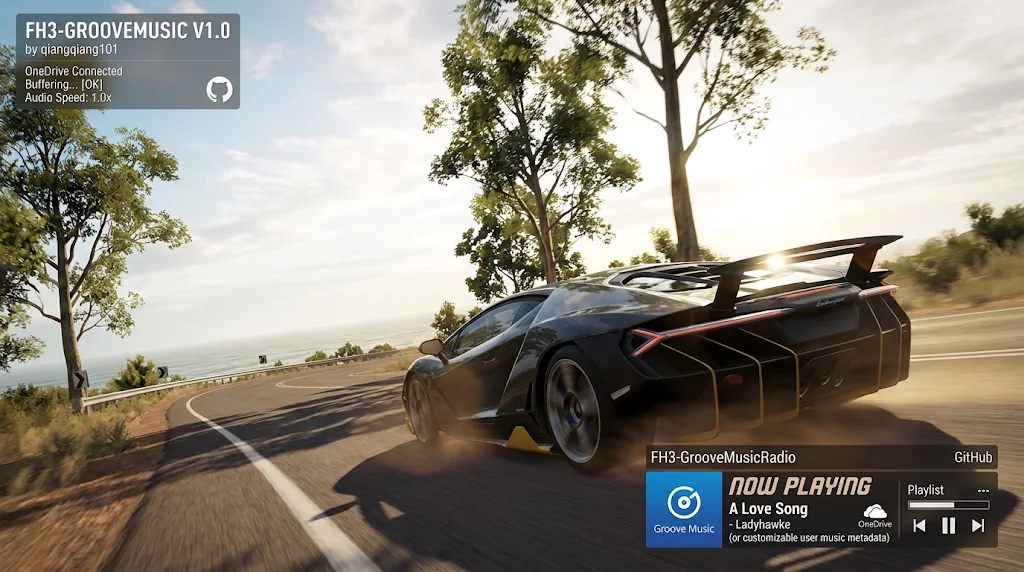
Groove Music Radio
Brings back the radio's Groove station in Forza Horizon 3 on Azimuth, with your own music. FH3's Groove (Xbox Music) service was shut down; this plugin answers the game's calls itself, so the game's own Groove player plays your own music.
Description
Groove Music Radio for Forza Horizon 3
Brings back the radio's Groove station in Forza Horizon 3 on Azimuth, with your own music. FH3's
Groove (Xbox Music) service was shut down; this plugin answers the game's calls itself, so the game's
own Groove player plays:
- your music folder: every folder in it is a playlist (MP3, FLAC and WAV); the game's Shuffle
option shuffles them; - Spotify (Premium), through Spotify's Soloist;
- YouTube Music, NetEase Cloud Music and QQ Music: choose the app as the playlist and play
something in it; the station plays the app's sound.
Pick the playlist in Settings > Audio. On the Audio page, X opens your music folder.
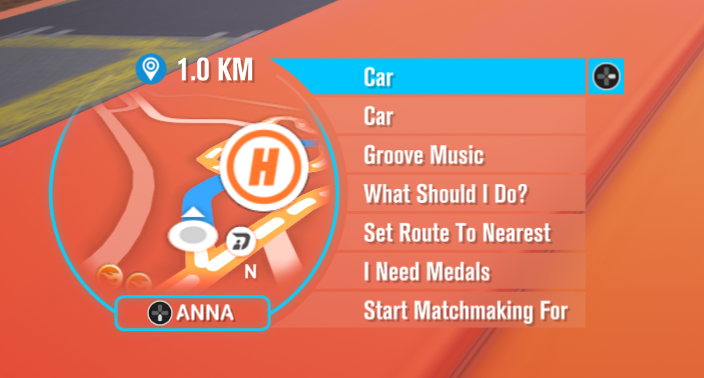
With FH3 ANNA installed, ANNA's menu (D-pad Down while
driving) gets Groove Music while the radio plays the Groove station: pick a playlist, or skip to
the previous or next song.
Install
Needs Extra Options for FH3. Next toazimuth.exe, put GrooveMusicRadio.dll in mods\Forza Horizon 3\GrooveMusicRadio\plugins\ andGrooveMusicRadio.ini in mods\Forza Horizon 3\GrooveMusicRadio\. The INI explains every setting:
the music folder, shuffle, tags, Spotify's Soloist (put soloist.exe and your Soloist API key there)
and the music apps. Keep your own INI when you update. Log lines are in FH3_ExtraOptions.log, markedPLUGIN: Groove Music Radio.
Building
sh build.sh [out.dll] with llvm-mingw. sdk/ holds
copies of Extra Options' fh3_plugin.h and FH3 ANNA's fh3anna.h.
Credits
The music library, Spotify and music-app sources come from my XboxMusicRadio for Forza Horizon 2.
Music files are decoded with
dr_libs (dr_mp3, dr_flac, dr_wav) by David Reid, public domain or
MIT No Attribution (third_party/dr_libs).
Prerequisites
Releases & Changelogs 1
Groove Music Radio now has its own home: FH3-GrooveMusic. It no longer ships with Extra Options.
New
- Groove Music in ANNA's menu. With FH3 ANNA installed, press D-pad Down while driving. ANNA's menu gets Groove Music whenever the radio is on the Groove station:
- Playlists: switch to any playlist (your music folders, Spotify, YouTube Music, NetEase Cloud Music, QQ Music) without opening Settings.
- Previous Song / Next Song.
- The entry only appears while Groove is playing, and it works in races too.
Fixed
- 48 kHz songs playing too fast. Songs whose sample rate isn't 44.1 kHz played at the wrong speed and pitch, and now play correctly.
Changed
- New music file decoding. MP3, FLAC and WAV are now decoded with dr_libs and converted to the game's rate.
- MIT licence. The plugin is now released under the MIT licence.
Install / update
Requires Extra Options for FH3. FH3 ANNA is optional; it's only needed for the menu entry.
- Put
GrooveMusicRadio.dllinmods\Forza Horizon 3\GrooveMusicRadio\plugins\, next toazimuth.exe. - First install: also put
GrooveMusicRadio.iniinmods\Forza Horizon 3\GrooveMusicRadio\. - Updating: keep your own
GrooveMusicRadio.ini, including your Soloist setup.
Details
- Game / Software
- Forza Horizon 3
- Category
- Scripts
- Latest version
- 1.2.0
- Total downloads
- 0
- Page views
- 5
- First released
- November 23, 2026
- Last updated
- November 23, 2026
Comments 0
No comments yet. Be the first!
Add a YouTube video
Made a showcase or tutorial for this mod? Send the link. It appears in the gallery once it has been approved.