Description
FH2 ANNA
English | 简体中文
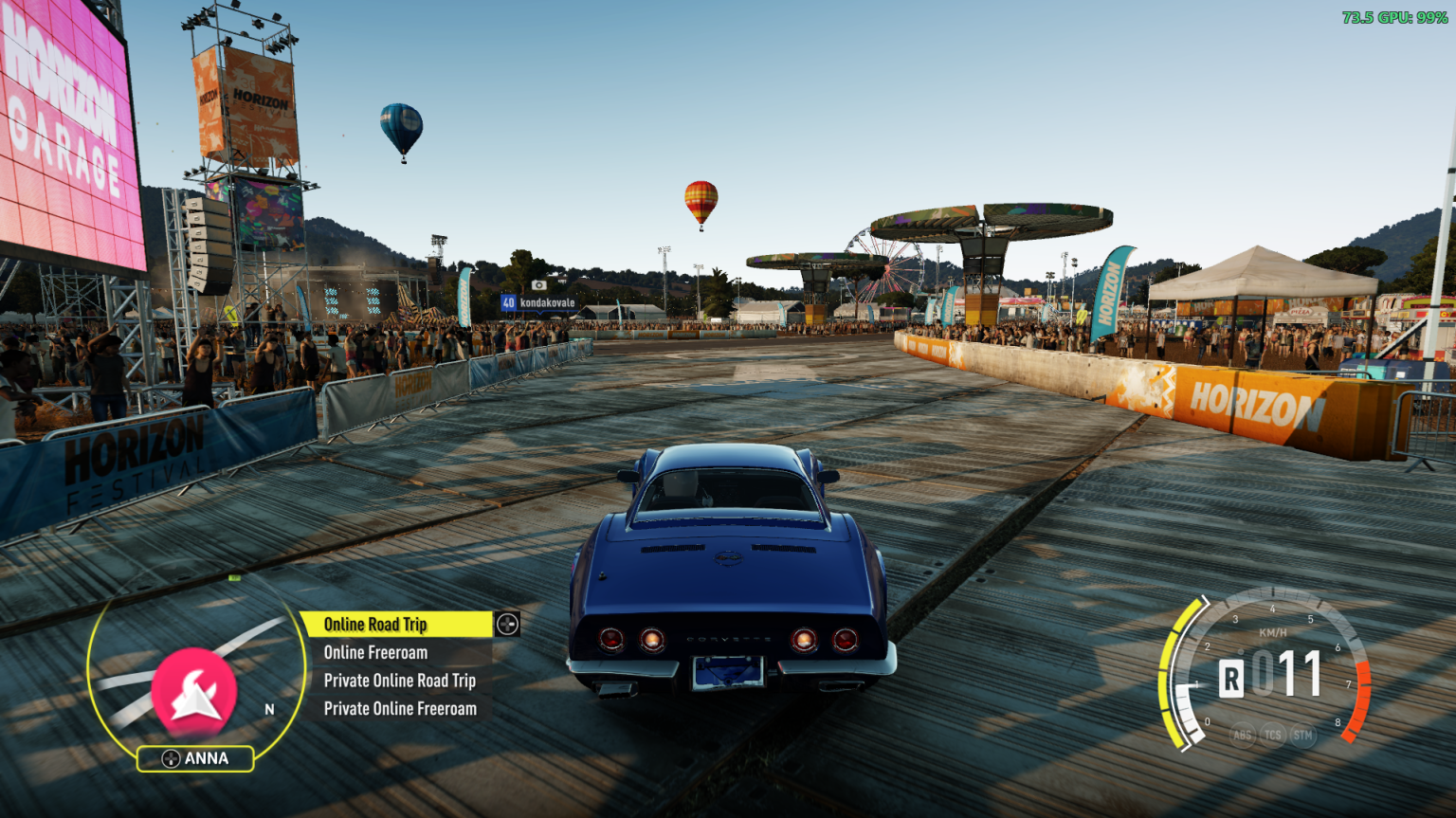
ANNA, the in-car assistant from Forza Horizon 3/4/5/6, brought to Forza Horizon 2 on PC (Azimuth). Forza Horizon 2 kept ANNA's HUD hidden away; FH2 ANNA turns it back on with Forza Horizon 3's look, round minimap, glowing edge and the list beside it, and fills it with things to do while you drive. Other mods can add their own entries to it.
FH2 ANNA is a mod for the FH2 Mod Platform.
What's in the menu
Car
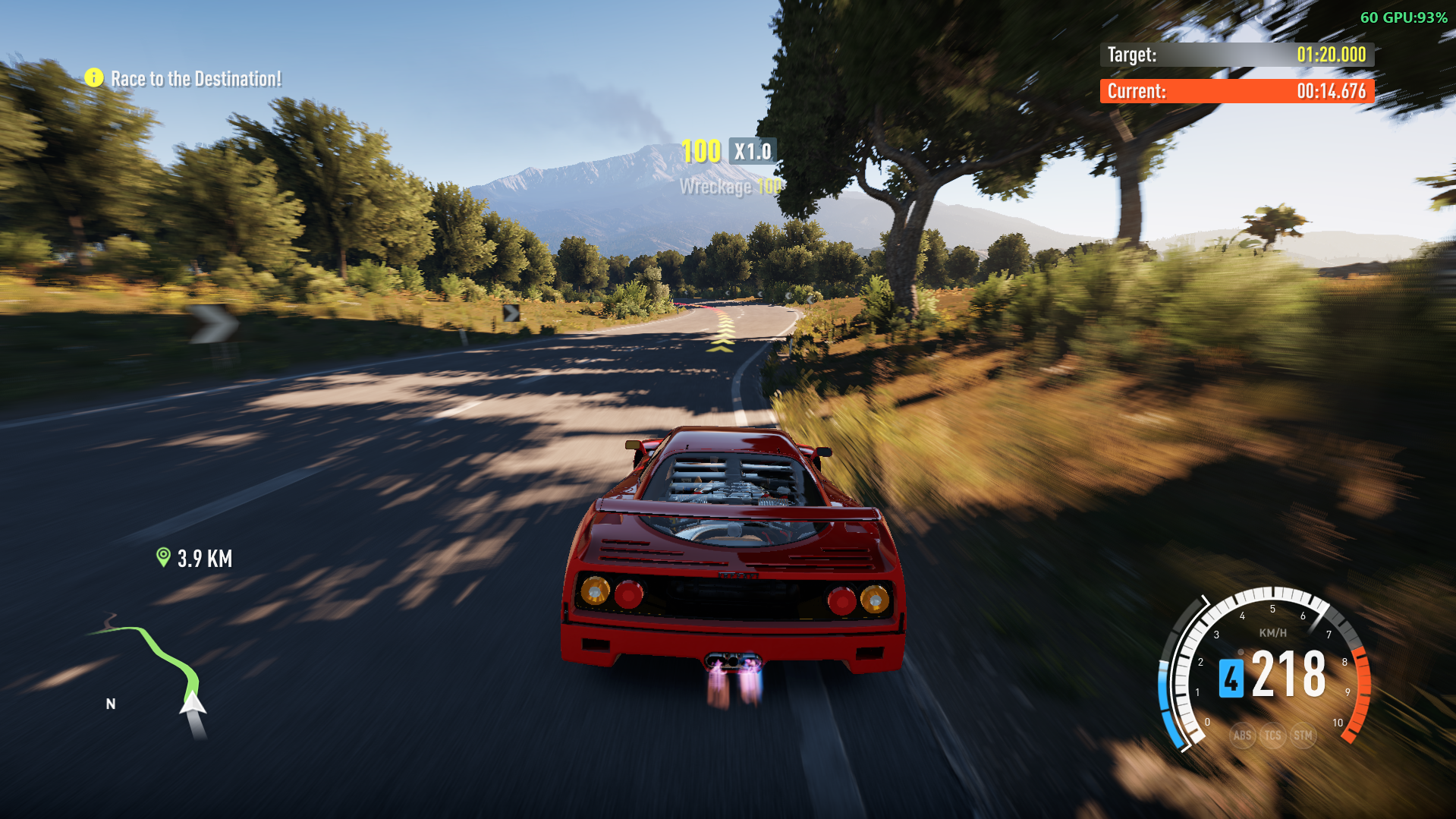
- Enable Auto Drive: the car drives itself along your GPS route. Greyed out until a route is set. While it drives, the minimap's ring lights up and shows "Auto Drive On"; press LB (Shift with FH2 Mouse & Keyboard) to switch to slow cinematic shots: a narrower view, the HUD hidden and black letterbox bars sliding in at the top and bottom. ANNA's D-pad down does nothing until LB switches back. Nitro System's NOS is off while it drives. It signals before turns at junctions and when it changes lanes, switches the headlights on in tunnels (back as they were outside), and brakes to a full stop at the destination. Touch the gas, brake or steering to take over. Works online too.
- Lights: headlights, hazard lights, left and right indicators. Headlights shine in daylight too, and pop-up headlights open and close with them.
- Doors: open or close all, the roof, hood, trunk, each door, storage compartments, pop-up headlights and active spoilers, whatever the car can move. The Lights and Doors lists stay open so you can flip things back and forth.
- Tune Car: opens the game's tuning screen, as the pause menu's Tune Car tile does (backing out of it leaves you on the pause menu).
Set Route To Nearest: Race, Bucket List, Festival, Barn Find or Bonus Board.
Start Matchmaking for: Online Road Trip, Online Freeroam, Private Online Road Trip or Private Online Freeroam, started straight from the road without opening the pause menu. Can be hidden on the Mods page.
Voice commands
Talk to ANNA like on the Xbox with Kinect. Turn on Voice commands on the Mods page, then while driving:
| Say | ANNA |
|---|---|
| "ANNA" | Wakes up and listens: the ring round the minimap lights up |
| "Set Route To Nearest" | Opens that list |
| "Race" | Chooses it, shows it chosen, and does it |
| "ANNA, Enable Auto Drive" | Does it straight away |
| "ANNA, set GPS to the nearest Bonus Boards" | Also fine: list names, plurals and the usual ways of asking work |
| "Back" / "Close" | Goes back a list / puts ANNA to sleep |
You can say anything the menu shows right now, as it reads now ("Close Hood" once the hood's open), and other mods' entries too. Once ANNA's awake, from "ANNA" or from D-pad down, you don't need to say "ANNA" again; it goes back to sleep after 10 seconds of quiet.
Voice commands use Windows' own speech recognition, offline, and your default microphone. A headset works much better than speakers. Windows only has speech recognition for some languages (English, French, German, Spanish, Japanese and Chinese); without one for the game's language, ANNA listens in English if Windows has that. If nothing happens, check Windows Settings > Privacy & security > Microphone > Let desktop apps access your microphone.
Languages
ANNA speaks the game's language: English, French, German, Italian, Spanish (Spain and Mexico), Brazilian Portuguese, Dutch, Polish, Russian, Japanese, Korean and Traditional Chinese, following the game's text language (or the one Extra Options sets). Names of places and modes are the game's own. Czech and Hungarian stay in English, as the game does. The Mods page rows follow from the next launch after a language change.
Controls
| Controller | Keyboard (FH2 Mouse & Keyboard) | Does |
|---|---|---|
| Tap D-pad down | C | Open ANNA (C again closes it) |
| D-pad up / down | I / K | Move up / down the list (hold to keep moving) |
| D-pad right | L | Choose |
| D-pad left | J | Back (closes ANNA from the top list) |
Holding D-pad down still opens the telemetry, as before. While ANNA is open, the D-pad is ANNA's, so it doesn't change the radio station.
FH2 ANNA reads the controller only. The keyboard keys come from FH2 Mouse & Keyboard, which presses the D-pad for you and shows its keys in ANNA's button pictures while you play on the keyboard. Change them on Pause > Settings > Keyboard & Mouse (the ANNA rows).
Installing
- Download the latest
FH2ANNA-<version>.zipfrom Releases. - Extract it into your Azimuth folder, the one with
azimuth.exein it. You should end up withDWrite.dllnext toazimuth.exe, andFH2ANNA.dllin thefh2-modsfolder.
[!WARNING]
FH2ANNA.dllgoes infh2-mods, not in Extra Options'modsfolder. FH2 ANNA is a platform mod, not an Extra Options plugin: inmodsit won't load properly.
- Start the game. ANNA's label sits under the minimap; tap D-pad down while driving.
The zip includes the FH2 Mod Platform (DWrite.dll). If you already have it from another mod, keep whichever is newer.
ANNA needs the minimap on in the game's HUD options. With the minimap off, ANNA's off too.
Settings
On Pause > Settings > MODS:
| Setting | Default | Does |
|---|---|---|
| Cinematic camera button | LB | The button that switches Auto Drive to the cinematic camera and back: LB, RB, A, B, X, Y, View, L3, R3, or None for no cinematic camera. While Auto Drive is on, the game doesn't get that button (Y won't rewind, RB won't change the view) |
| Hide hood and trunk in ANNA | Off | Leaves the hood and trunk out of Doors, and Open All leaves them shut: for cars with an invisible trunk or a fake engine |
| Close doors when moving | On | The doors, hood, trunk and storage ANNA opened shut by themselves once the car drives off (the roof stays as it is) |
| Start Matchmaking in ANNA | On | Shows the Start Matchmaking for list |
| Voice commands | Off | Listens to the microphone for "ANNA" and a command (see Voice commands) |
They're saved in fh2-mods\FH2ANNA.ini (the cinematic camera's button as Cinematic=LB under [Autodrive]). The cinematic camera starts from the chase cameras. With FH2 Mouse & Keyboard, its "ANNA: cinematic camera" key (Left Shift) presses that button, whichever it is, and the prompt shows the key.
With other mods
Extra Options: FH2 ANNA has its own autodrive, indicators, hazards and headlights, so you don't need Extra Options' for those. Extra Options puts its autodrive on D-pad down and its hazard lights on D-pad up, which are ANNA's buttons, so turn those two off in
FH2_ExtraOptions.ini(next toazimuth.exe), under[Bindings]:AutodriveXbox=None HazardsXbox=NoneOtherwise opening ANNA also starts Extra Options' autodrive, and moving up ANNA's list switches the hazard lights. Extra Options' headlight key still works alongside ANNA's; whichever you used last wins.
FH2 Mouse & Keyboard: gives ANNA its keyboard keys and key pictures (see Controls).
Mods page text in other languages: the platform's Mods page shows mods' rows in Chinese, Japanese, Russian, accented letters and so on correctly while FH2 ANNA is installed.
For mod developers: adding to ANNA's menu
Other platform mods can add entries and lists to ANNA through its interface, include/fh2anna.h. Copy the header into your mod, or get it as the FH2ANNA NuGet package from this repo's GitHub Packages feed, which puts it on your C/C++ project's include path (Visual Studio: add https://nuget.pkg.github.com/qiangqiang101/index.json as a package source, signed in with a GitHub token that can read packages, then install FH2ANNA):
#include "fh2anna.h"

static void honk(void* user, const char* key) { /* ... */ }

/* from a thread of yours, after api->wait_for_mods(...) */
const FH2AnnaApi* anna = (const FH2AnnaApi*)api->get_interface(FH2ANNA_INTERFACE, 4);
if (anna) {
    FH2AnnaEntry e = {sizeof e};
    e.key       = "honkhonk.horn";   /* unique: start it with your mod's name */
    e.parent    = "car";             /* or NULL for the top list, or a list of yours */
    e.label     = "Honk";
    e.on_choose = honk;
    anna->add_entry(&e);
}
ANNA's own lists are car, car.lights, car.doors, route and online. An entry without on_choose is a list of its own. Entries can hide themselves (shown), change their label each time their list opens (label_now), keep ANNA open after they're chosen (stays_open), and show greyed out (enabled). on_choose runs on the game's thread. Your entries can be said as voice commands too, by their label. The header has the details.
A mod that takes the player's driving input for itself on purpose (a camera the sticks fly, with the car's controls switched off) can tell ANNA so with hold_input(1), and hold_input(0) when it gives it back (interface version 5). Meanwhile Auto Drive keeps driving, in races too, instead of taking it for a menu or the pause.
Building
You need CMake and either Visual Studio 2022 or llvm-mingw. The FH2 Mod Platform is a submodule:
git clone --recursive https://github.com/qiangqiang101/FH2_ANNA.git
cd FH2_ANNA

# Visual Studio 2022
cmake -S . -B build -G "Visual Studio 17 2022" -A x64
cmake --build build --config Release --target fh2anna     # build/Release/FH2ANNA.dll

# or llvm-mingw (what the release workflow uses)
cmake -S . -B build -G Ninja -DCMAKE_TOOLCHAIN_FILE=platform/cmake/mingw-w64-x86_64.cmake -DCMAKE_BUILD_TYPE=Release
cmake --build build                                       # build/FH2ANNA.dll
Releases are built by GitHub Actions (.github/workflows/build.yml) when a release is published, and on demand from the Actions tab (Run workflow). A release's tag has to match VERSION in CMakeLists.txt. Publishing a release also publishes the FH2ANNA NuGet package (the header, nuget/) to GitHub Packages, at the same version; a manual run only uploads it as an artifact.
The FH3 assets
assets/ holds Forza Horizon 3's ANNA textures, converted to Forza Horizon 2's format, and FH3's ANNA HUD control ported to FH2. Both are built into the DLL. They're made from an FH3 install with the scripts in tools/:
python tools/fh3_textures.py "<FH3 folder>"     # assets/*.swatchbin
python tools/port_anna_xaml.py "<FH3 folder>"   # assets/HUDAnnaControl.xaml (the look: colours, rows, layout)
Credits
- Playground Games: ANNA, and Forza Horizon 3's ANNA design and textures.
- Extra Options by RokkuDayo: how FH2's autodrive, indicators headlights, the autodrive cinematic camera and daylight headlights are ported from.
- FH2 Mod Platform, which includes MinHook.
License
MIT.
Prerequisites
Releases & Changelogs 1
Fixes
- Races with Auto Drive finish properly. Sometimes a race driven by Auto Drive got stuck at the finish line, with the total reward showing 0. At the finish, ANNA took the car back from the game's own finish sequence and cleared the rewind history while the race was being scored. Now ANNA lets the game finish the race on its own, and you get your rewards as normal.
- If the car is somehow still driving itself once you're back in control after an event, ANNA hands it back to you.
Notes
- Free roam is unchanged: Auto Drive still brakes to a stop at your destination.
- No changes to settings or install steps. Replace
FH2ANNA.dllinfh2-modswith the new one.
Details
- Game / Software
- Forza Horizon 2
- Category
- Scripts
- Latest version
- 1.2.4
- Total downloads
- 0
- Page views
- 2
- First released
- November 5, 2026
- Last updated
- November 19, 2026
Comments 0
No comments yet. Be the first!
Add a YouTube video
Made a showcase or tutorial for this mod? Send the link. It appears in the gallery once it has been approved.
More in Forza Horizon 2