Deform
Cars crumple more when they crash.
Description
Deform
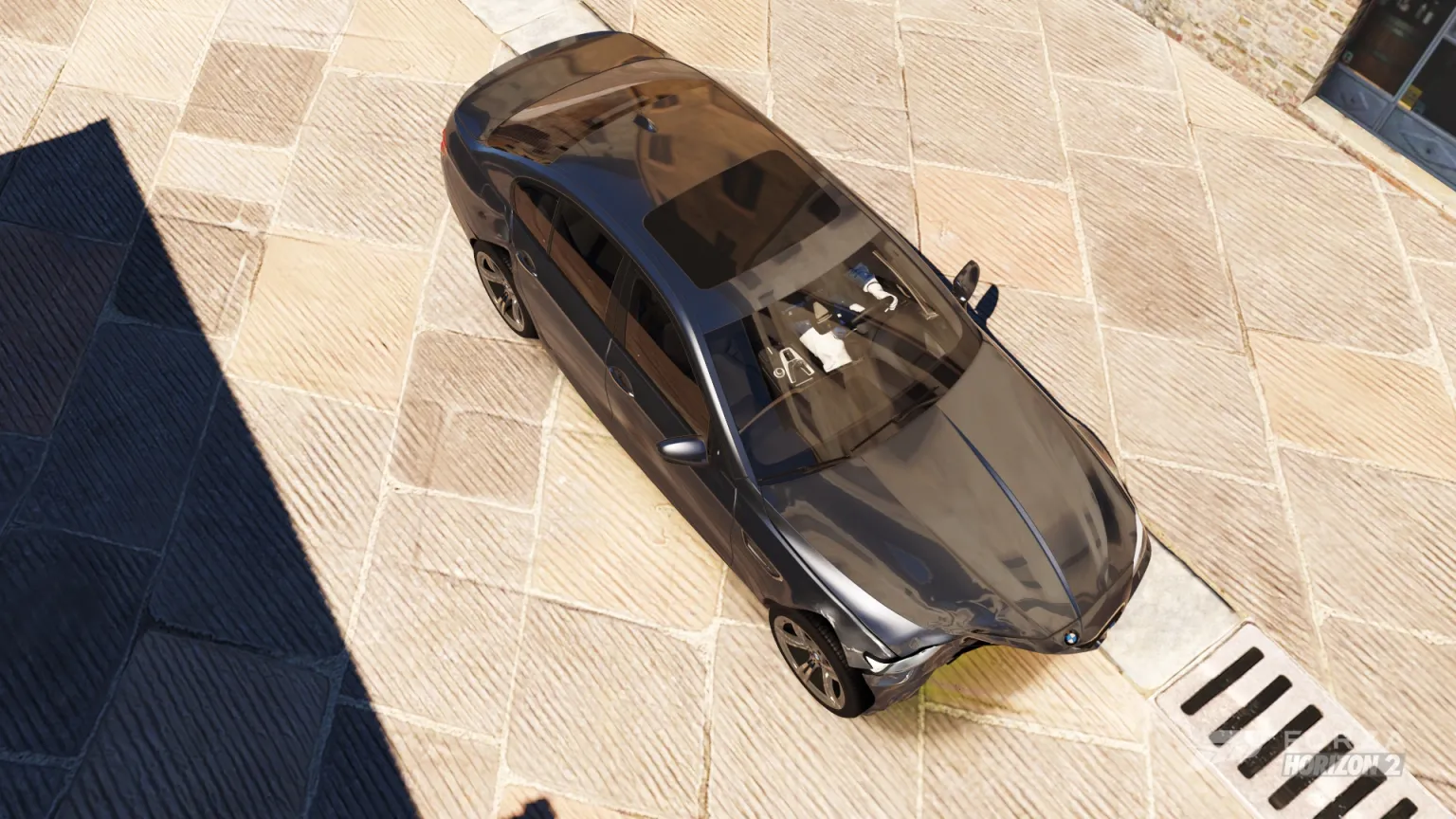
Cars crumple more, and more realistically, when they crash in Forza Horizon 2 (Azimuth). Built on the FH2 Mod Platform (2.9.0 or newer). It's cosmetic: handling doesn't change.
What it does
- Deeper dents (Dent Depth): the game's authored crushed shape is pushed further, past its own limit.
- Dents where the car was hit (Dents Where Hit): panels are pushed in where the impact was, not only along the authored shape.
- Crumple: ripples in the metal around a hit, with the lighting following them.
- Scrape Dents: shallow dents where the car was scraped along a wall.
- Popping windows (Glass Breaks At): glass pieces disappear where the damage is over the setting, instead of floating in front of a crushed body. Taillight lenses pop too.
- Compatible with Underglow and the other mods tested (the shaders are handed over on a background thread).
Settings
MODS > YOUR MODS > FH2Deform, saved in fh2-mods\FH2Deform.ini. Changes apply live (the shaders are rewritten in about 10-15 s).
| Setting | Range | Default |
|---|---|---|
| Stronger Deformation | On / Off | On |
| Impact Multiplier | 1.0 - 10.0 | 2.0 (no visible effect found; applies at the next start) |
| Dent Depth | 1.0 - 5.0 | 2.0 |
| Dents Where Hit | 0 - 2 | 1.0 |
| Crumple | 0 - 2 | 1.0 |
| Scrape Dents | 0 - 2 | 1.0 |
| Glass Breaks At | 0.05 - 1.0 | 0.30 (1.0 keeps all glass) |
Console commands (for testing)
fh2mod FH2Deform hit front|back|left|right [strength], push forward|back|right|left [m/s], pose, hitraw.
Known limits
- Bumpers still don't come off the player's car (the AI cars' do): the game never sends its drop event for the player's car.
- The car's black inner shell doesn't deform: patching the shader variants that draw it turns damaged areas black, so only the
Morphingvariants are patched (glass: all variants). - On some cars (BMW M5 '12) a dark pane with defroster lines stays behind a popped rear window; no car shader I could replace draws it.
- Windows crack and pop by the damage at their own spot: a sunroof far from the impact keeps its glass.
How FH2 deforms a car
Found in the car vertex shaders (media\_library\Shaders.zip, the .durango.vso files the game loads):
- A damage cage (
DamageCageTexture): a 3D texture around the car's bounding box holding how damaged each spot is. - An authored crushed shape (
g_MorphDataBuffer): where each vertex goes when its spot is fully damaged. - Each vertex moves by its crushed offset times the cage's damage there, clamped to 1.
The mod rewrites those DXBC shaders (and recomputes their checksum) and hands them to the game through the platform. The game's files aren't changed. See NOTES.md for the full findings.
Building
Visual Studio 2022 and CMake 3.20+:
git submodule update --init
cmake -B build -A x64
cmake --build build --config Release
Copy build\Release\FH2Deform.dll into the Azimuth folder's fh2-mods.
Prerequisites
Releases & Changelogs 1
Cars crumple more when they crash in Forza Horizon 2. Dents go deeper, panels crumple where you hit, scrapes flatten the body, and windows pop out instead of floating in front of a crushed car. It's cosmetic only: handling doesn't change.
What's in it
- Deeper dents. The game's own crushed shape is pushed past its limit.
- Dents where you were hit. Panels are pushed in at the point of impact, even where the car has no crushed shape of its own.
- Crumple. Ripples in damaged metal, with the lighting following them.
- Scrape dents. Scraping along a wall flattens the body a little, not only the paint.
- Popping windows. Glass disappears where the damage is heavy, and taillight lenses pop too.
- Works with other mods. Tested with Underglow and the other mods I use.
- Translations. The settings page is in German, Spanish, French, Italian, Dutch, Polish, Brazilian Portuguese, Russian and Traditional Chinese. They are first drafts, so corrections are welcome.
Install
- Needs Azimuth with the FH2 Mod Platform 2.9.0 or newer. The zip includes the platform's
DWrite.dll. - Extract the zip into your Azimuth folder, next to
azimuth.exe. This putsFH2Deform.dllinfh2-mods. - Start the game. Settings are under Pause > MODS > YOUR MODS > FH2Deform.
Settings
Each one is a slider or switch on the mod's page. They apply live in about 10-15 seconds, so you don't need to restart.
- Stronger Deformation: the main switch. Off gives you the game's own damage.
- Dent Depth: how far dents go in (default 2.0).
- Dents Where Hit: how much the body is pushed in at the hit (default 1.0, 0 is off).
- Crumple: how rippled damaged panels look (default 1.0, 0 is off).
- Scrape Dents: how much scrapes flatten the body (default 1.0, 0 is off).
- Glass Breaks At: how much damage a window takes before it pops (default 0.30, lower pops sooner, 1.00 keeps all glass).
Known limits
- Bumpers still don't come off your car (the AI cars' do).
- The black inner body shell doesn't deform, so heavy damage can show a flat black shape under the panels.
- On some cars a dark pane may stay behind a popped rear window.
- Windows pop by the damage at their own spot, so a sunroof far from the impact may keep its glass.
- The Impact Multiplier slider has no visible effect yet.
Uninstall
Delete FH2Deform.dll and FH2Deform.ini from fh2-mods.
Details
- Game / Software
- Forza Horizon 2
- Category
- Scripts
- Latest version
- 1.0.0
- Total downloads
- 0
- Page views
- 1
- First released
- November 17, 2026
- Last updated
- November 19, 2026
Comments 0
No comments yet. Be the first!
Add a YouTube video
Made a showcase or tutorial for this mod? Send the link. It appears in the gallery once it has been approved.
More in Forza Horizon 2