Mouse & Keyboard
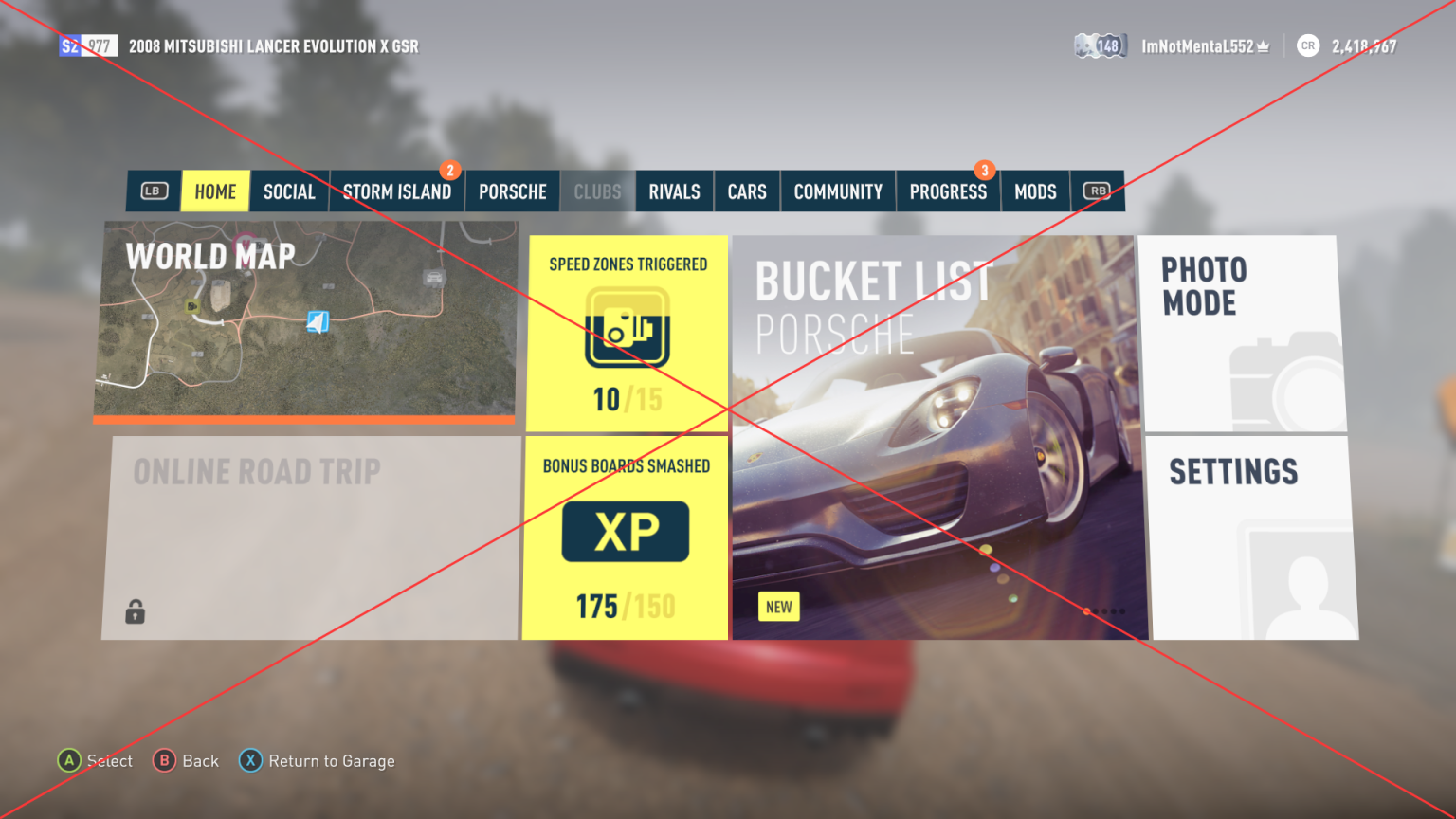
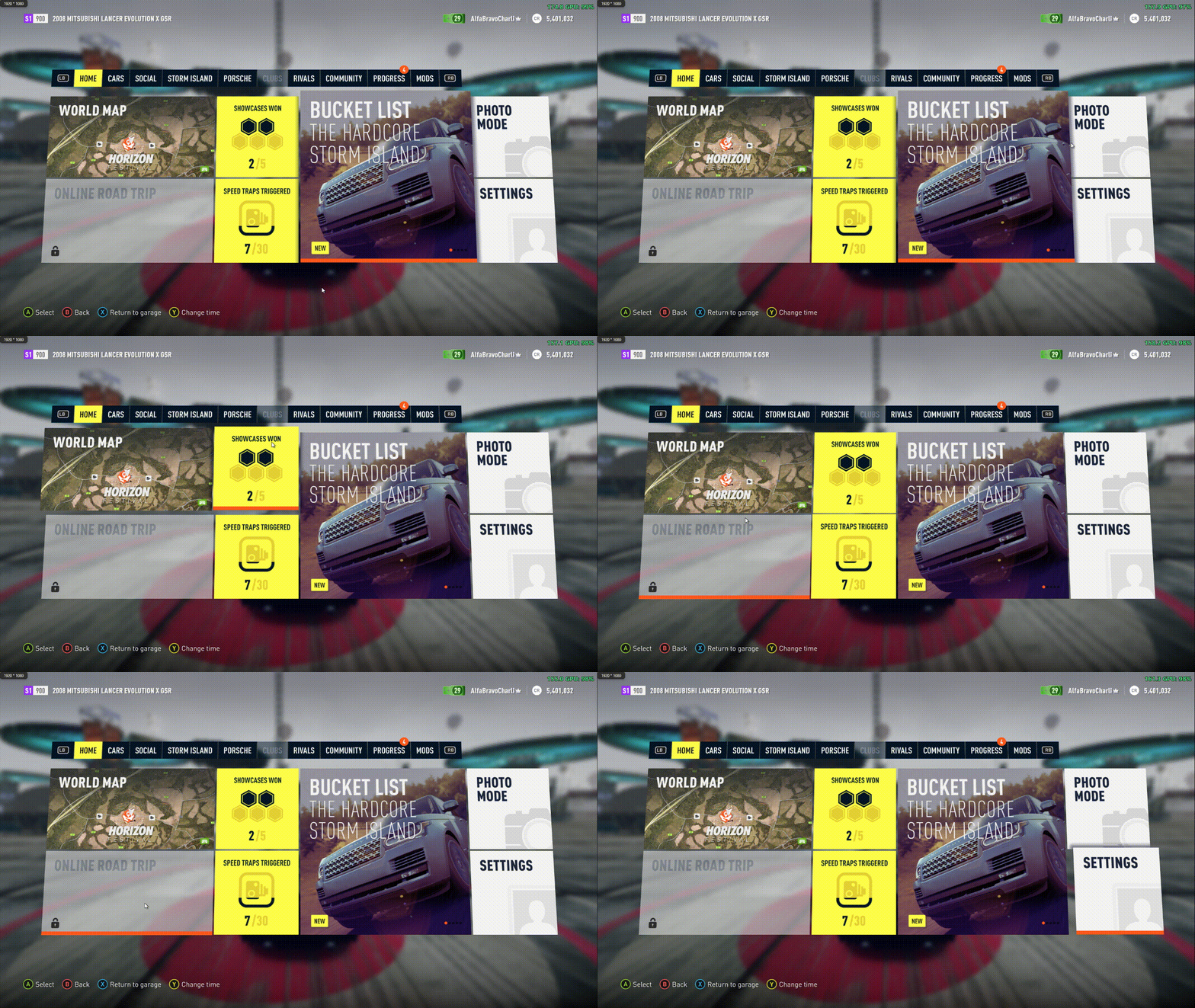
A mouse cursor for Forza Horizon 2 on PC (Azimuth). Point at things in the menus and click them, drag the map, turn the garage camera, place decals with the keyboard, and fly the photo mode camera, all without picking up a controller. The controller keeps working as before, and you can switch between the two at any time.
Description
FH2 Mouse & Keyboard
A mouse cursor and keyboard controls for Forza Horizon 2 on PC (Azimuth). Drive with the keyboard, point at things in the menus and click them, drag the map, turn the garage camera, place decals with the keyboard, and fly the photo mode camera, all without picking up a controller. The controller keeps working as before, and you can switch between the two at any time.
FH2 Mouse & Keyboard (FH2Mouse) is a mod for the FH2 Mod Platform.
Controls
Everywhere in the menus
| Mouse | Does |
|---|---|
| Move | Selects the button, tile, list row, slider or option under the cursor |
| Left click | A on what's under the cursor: opens a tile, picks a car, switches a tab |
| Left click on a slider or option | Changes it: left of the value lowers it, right of the value raises it (hold to repeat) |
| Right click | B (back) |
| Wheel | Up / down in lists, left / right in lists that scroll sideways (car lists, Jump to Manufacturer) |
| Side buttons | LB / RB |
| Middle click | Right stick click |
| Help bar at the bottom | Click an entry ("Ⓧ Return to garage", "Ⓨ Stamp", …) to press that button |
On screens with nothing to point at (the title screen, videos, the wheelspin), a left click anywhere is A.
Map: drag to move the map, click a spot to select the icon there or set a waypoint, wheel to zoom.
Garage and design editor: drag on empty space to turn the camera, wheel to zoom. In Design editor → Edit layer, W A S D move the layer (and size, spin or skew it on those tabs).
Driving: move the mouse left / right to look around (the right stick); a moment after you stop, the camera turns back ahead. While you drive the mouse stays in the game window (Alt+Tab to leave it); FreeLook=0 turns this off.
Photo mode: left drag to turn the camera, W A S D to move it, Q / E down / up, wheel to zoom, right click to exit.
ANNA Drone Mode's drone: move the mouse to look around, W A S D to fly, Q / E down / up, hold Left Shift to go faster, wheel to zoom, R back to the car, F or left click to keep looking at the car, Tab hides the help, , / . change the radio station, Esc or right click to leave. While the drone flies only these keys count, so the driving and menu keys on the same keys wait till it lands. The keys are on the Keyboard & Mouse page ("Drone: forward"...) when Drone Mode is installed. While you play with the keyboard, the drone's button help shows these keys (and the mouse) instead of the controller's buttons, as the game's help bar does. It needs Drone Mode 1.1.0 or later.
The cursor hides by itself a few seconds after you stop moving the mouse, and comes back when you move it.
Keyboard
| Key | While driving | In the menus |
|---|---|---|
| W / S | Gas / brake (and reverse) | |
| ← / → | Steer | Left / right |
| ↑ / ↓ | Up / down (hold to repeat) | |
| Space | Handbrake | |
| A / Z | Shift up / down (manual transmission) | |
| Left Alt | Clutch | |
| Left Shift | Cinematic camera on / off while FH2 ANNA's autodrive drives (needs FH2 ANNA with its Cinematic= button setting) |
|
| V | Change camera (C is FH2 ANNA's, as in FH3) | |
| Right Ctrl | Look back | |
| R | Rewind | |
| M | Map | |
| P | Photo mode | |
| T | Telemetry on / off | |
| , / . | Previous / next radio station (or telemetry page) | |
| Left Ctrl | Nitro, with the FnFNitro mod installed | |
| E | Horn, with the HonkHonk mod installed | |
| [ / ] | Left / right indicator, with Extra Options installed | |
| G | Hazard lights, with Extra Options installed | |
| L | Headlights, with Extra Options installed | |
| Esc | Pause | B (back) |
| Enter | Enter garage (and the HUD's other prompts) | A (select) |
| Page Up / Page Down | Previous / next tab (LB / RB) | |
| X / Y | X / Y (what the help bar offers on them: "Return to garage", "Stamp", …) | |
| Tab | View ("Setup manager", "Jump to manufacturer", "Hide UI", "Save") | |
| Z / C | LT / RT ("Select / Unselect Layer") | |
| F / V | Left / right stick click ("Advanced camera") |
While you play with the keyboard, the help bar and the HUD's prompts show the keys instead of the controller's buttons: "Enter Select", "Esc Back", "PgUp" / "PgDn" for the tabs. Press a button on the controller and its buttons come back; press a key and the keys do. The pictures show the keys you've set, so they follow your changes. A button with no key (moving the sticks, or one you set to None) keeps the controller's picture.
The driving keys go straight to the game's own controls, not through a pretend controller, and only while you're driving, so a key can do one thing while driving and another in the menus. W in photo mode still moves the photo camera. The menu keys, Esc's pause and the radio keys hold the pad's own buttons for the game, so the menus take them exactly as they take a pad's. No controller needs to be plugged in: Enter on the title screen signs you in without one. If a controller goes (unplugged, or its batteries run out) the keyboard plays on: no "Controller disconnected" message and no pause. Plug a pad back in and the game asks for its A, as usual, to pair it again. Look left / right can have keys too. With FnFNitro installed, Left Ctrl presses its nitro button (whichever its NitroButton is) for it alone: the game doesn't see it, and no controller is needed. With HonkHonk installed, E honks its horn the same way, on whichever stick its horn button is (the left one, or the right one when FH2MP moves it there). With FH2 ANNA installed, its keys are its own: C opens ANNA, and I / J / K / L work its menu while it's open, so FH2Mouse leaves them alone then. While ANNA's autodrive drives, Left Shift presses the button ANNA's ini gives its cinematic camera (LB unless changed), and ANNA's prompt shows the key; otherwise Left Shift is free (the presets' clutch).
Every key can be changed in the game, in Pause > Settings > Keyboard & Mouse (the tile next to Controls): each action has a row of its own ("Gas", "Menu: select"), and left / right picks its key. The change takes effect at once. "Keyboard controls" there turns the keys off, "Keyboard icons" keeps the controller's buttons in the help bar, and "Mouse hover selects" and "Mouse free look" switch those, and "Mouse free look sensitivity" sets how fast free look turns. "Keyboard preset" sets every key at once:
| Preset | Drive | Steer | Shift up / down | Clutch | Also |
|---|---|---|---|---|---|
| WASD drive | W / S | A / D | E / Q | Left Shift | Horn on H |
| WS drive, arrow steer (the default) | W / S | Left / Right | A / Z | Left Alt | |
| Arrow drive | Up / Down | Left / Right | E / Q | Left Shift | Horn on H |
| AZERTY | Z / S | Q / D | E / A | Left Shift | Horn on H, menu left trigger on W |
| QWERTZ | W / S | A / D | E / Q | Left Shift | Horn on H, menu left trigger on Y, menu Y button on Z |
Every other key goes back to its default. Changing a key afterwards makes the preset row say Custom. The same keys are in the ini's [Keyboard] section, which takes any key and more than one per action.
The controller's buttons can be changed on the game's own Pause > Settings > Controls page, below its rows. "Controller remapping" turns them on, "Controller layout" picks Game's (the layout chosen in the Layout row above) or Custom, and a row for each button ("Controller: A", "Controller: LB", "Controller: d-pad up"...) gives it an action: Gas, Brake, Handbrake, Shift up / down, Clutch, Change camera, the looks, Rewind, Photo mode, Telemetry, the radio, or Map, which the game's own layouts can't put on a button. While it's Game's the rows show what the layout in use does (a layout picked in the Layout row shows once it's accepted); changing one makes the layout Custom, starting from what was shown. Changes apply at once, no restart. As with the game's layouts, the left stick's left / right always steers, Menu pauses, and the HUD's prompts ("Enter garage") stay on X with an automatic gearbox and View with a manual one. A wheel keeps the game's layout. The same buttons are in the ini's [Controller] section. The first of these rows, Controller remapping, turns it all off and on: Off puts the game's layout back at once, and the other rows grey out, showing that layout, until it's On again.
Installing
You need Azimuth and the FH2 Mod Platform, which every platform mod ships. Extract the release zip into your Azimuth folder (the one with azimuth.exe), so you end up with:
DWrite.dll                 the FH2 Mod Platform
fh2-mods\FH2Mouse.dll      this mod
The zip ships the platform as DWrite.dll only, since Azimuth 1.0.3 no longer loads d3dcompiler_47.dll. If you have a d3dcompiler_47.dll from an older mod, it can stay; it's simply not used.
[!IMPORTANT]
FH2Mouse.dllgoes in thefh2-modsfolder, the FH2 Mod Platform's. Don't put it inmods: that folder belongs to Extra Options and holds its plugins, and the mod won't load from there.
Start the game and move the mouse. The first launch creates FH2Mouse\FH2Mouse.ini next to azimuth.exe.
To remove it, delete fh2-mods\FH2Mouse.dll and the FH2Mouse folder.
Settings
FH2Mouse\FH2Mouse.ini (read when the game starts; HoverSelects, FreeLook and FreeLookSensitivity can also be set on the Keyboard & Mouse page):
| Setting | Default | Meaning |
|---|---|---|
Enabled |
1 |
0 turns the mod off |
HoverSelects |
1 |
Moving over something selects it. With 0, only clicks do |
HideAfterSeconds |
3 |
Hide the cursor after this long without moving the mouse (0 = never) |
FreeLook |
1 |
While driving, the mouse looks around. 0 leaves the mouse alone while driving |
FreeLookSensitivity |
50 |
How fast free look turns, 0 to 100: 50 is the usual speed, 100 twice as fast, 0 doesn't turn |
FrameRate |
0 |
The game's frame rate: 0 measures it (platform.log says what it found). Set it (30, 60, 120, 144...) only if photo mode or the garage camera turns too fast or too slow |
Debug |
0 |
Log what's under the cursor and every click to fh2-mods\platform.log |
The [Keyboard] section (added to an older ini the first time this version starts) gives each action one or more keys, separated by spaces: Gas=W Up, LookLeft=Q, Map=None. Keys are letters, digits, F1-F24, Num0-Num9 (with Num Lock on), Left Right Up Down, Space, Enter, Escape, Tab, Backspace, Insert, Delete, Home, End, PageUp, PageDown, Shift/LShift/RShift, Ctrl/LCtrl/RCtrl, Alt/LAlt/RAlt, Comma, Period, Minus, Equals, Semicolon, Slash, Grave, LBracket, Backslash, RBracket, Quote, or a virtual-key code (0xNN). The actions are Gas, Brake, SteerLeft, SteerRight, Handbrake, ShiftUp, ShiftDown, Clutch, Camera, LookBack, LookLeft, LookRight, Rewind, Map, PhotoMode, RadioPrevious, RadioNext, Telemetry, Interact, Nitro, Horn, SignalLeft, SignalRight, Hazards, Headlights and Pause while driving, and Accept, Back, Up, Down, Left, Right, PreviousTab, NextTab, ButtonX, ButtonY, ButtonView, ButtonLT, ButtonRT, ButtonLS and ButtonRS in the menus. SignalLeft, SignalRight, Hazards and Headlights press Extra Options' own actions: each holds the controller buttons Extra Options' [Bindings] gives it (SignalLeftXbox=DPadLeft), as Extra Options reads them, but not for the game, so the indicators don't change the radio. A tap of an indicator key holds it 0.65 s, as Extra Options wants a 0.5 s hold. Without FH2_ExtraOptions.ini next to azimuth.exe their rows don't show. The Keyboard & Mouse page offers the usual keys; one set in the ini that isn't among them shows there as it is. Enabled=0 turns the keys off. KeyIcons=0 keeps the controller's buttons in the help bar while you play with the keyboard.
The key pictures are built into FH2Mouse.dll: one PNG per key, named as the ini names keys (Enter.png, Escape.png, PageUp.png, A.png; UpDown.png and LeftRight.png for the d-pad's both-ways pictures). A key without one, like a key the ini sets that the Keyboard & Mouse page doesn't offer, is drawn. To use a picture of your own, put a PNG with that name in FH2Mouse\KeyIcons (any size, with transparency); the game shows it from its next start, and deleting it brings back the built-in one. A picture can be up to four times as wide as it is high, like the built-in Enter, Space and Shift: the help bar makes room for it, and where a page only has a square for the button (the title screen's PRESS (A) TO START, the HUD's prompts, the tab strips' LB / RB) it's shrunk to fit the square. The game's copies are made from them each start, in mediaoverride\UI\textures\data_bound\FH2MouseKeys, so don't edit those.
The [Controller] section (added the first time this version starts) is the custom controller layout. Enabled=0 (the Controller remapping row) turns the remapping off. Custom=1 uses it instead of the layout picked in Settings > Controls. Each button has one action, by the names the game's ControllerLayouts table uses: the buttons are ButtonA, ButtonB, ButtonX, ButtonY, LeftShoulder, RightShoulder, LeftTrigger, RightTrigger, DPadUp, DPadDown, DPadLeft, DPadRight, LeftThumbUp, LeftThumbDown, LeftThumbButton, RightThumbUp, RightThumbDown, RightThumbLeft, RightThumbRight and RightThumbButton, and the actions Gas, Brake, Handbrake, ShiftUp, ShiftDown, Clutch, SwitchCamera, LookForward, LookBack, LookLeft, LookRight, Rewind, PhotoMode, Telemetry, RadioLeft, RadioRight, Map and None. With FH2Controls or CustomBindings installed (they set the layout too), there are no controller rows and the layout is theirs.
The keys' rows need FH2 Mod Platform 2.8.0 or later; with an older one the keys work, set in the ini. The Keyboard & Mouse page and the mod's text in the game's language need 2.9.0 (the one in the release zip). The rows are the platform's, shown on Keyboard & Mouse; FH2 Mouse & Keyboard's own page under Pause > MODS > YOUR MODS has a line pointing there instead of them. If the Settings page or the game's code isn't as expected (platform.log says so), there's no Keyboard & Mouse tile, and the rows are on YOUR MODS.
The mod's text is in the game's language: Brazilian Portuguese, Dutch, French, German, Italian, Japanese, Korean, Polish, Russian, Spanish (Spain and Mexico) and Traditional Chinese, as well as English. In Czech and Hungarian it's English, as the game's own text is. The translations are gettext PO files in l10n/, built into the DLL. To try a corrected one without a build, put it in fh2-mods\lang\FH2 Mouse & Keyboard\ (named pl.po, pt_BR.po, and so on): see the platform's translating guide.
Known limits
- The design editor's Advanced camera (right stick click) can't be held with the mouse.
- Only the 24 November 2015 build of the game that everyone plays is supported. On anything else the mod checks the game's code, finds it different, and stays off (it says so in
platform.log).
When something doesn't work
Look in fh2-mods\platform.log for the lines starting with [FH2 Mouse & Keyboard]. If something's wrong, set Debug=1 in the ini, reproduce it, and attach the log to an issue, together with which screen you were on.
How it works
The game's UI library still contains a mouse system, but the Xbox build never feeds it and its hit testing finds nothing. FH2Mouse finds the control under the cursor itself, from the menus' visual tree (including the 9° perspective tilt most menus are drawn with), moves the focus there, and sends the same key presses the controller sends. Pages then behave exactly as they would with a pad. The map, the garage and photo mode cameras, and the decal editor read their inputs through a few small hooks, all made through the platform. Every hook checks the game's code first and is skipped if it isn't as expected.
Building
FH2Mouse builds with llvm-mingw and CMake, with the platform as a git submodule:
git clone --recursive https://github.com/qiangqiang101/FH2MouseKeyboard
cmake -S . -B build -G Ninja -DCMAKE_C_COMPILER=x86_64-w64-mingw32-clang -DCMAKE_CXX_COMPILER=x86_64-w64-mingw32-clang++ -DCMAKE_RC_COMPILER=x86_64-w64-mingw32-windres
cmake --build build
This gives build/FH2Mouse.dll, and the platform as build/platform/DWrite.dll. The key pictures are keyicons/*.png, embedded by src/keyicons.rc (add a line there for a new one). The art keys without one are drawn from is in src/key_art.h, made by tools/make_key_art.py from Forza Horizon 6's KeyboardIcons.zip (extracted); the build doesn't need it again. Releases are built by .github/workflows/build.yml when a release is published (or on demand from the Actions tab), which attaches FH2Mouse-<tag>.zip to the release. tools/ holds the static-analysis and test scripts used while writing it (fh2re.py reads the game's exe; drive.py moves the mouse and takes screenshots).
License
MIT, see LICENSE.
Disclaimer
Unofficial fan-made software. Not affiliated with, endorsed by, or connected to Playground Games, Turn 10 Studios, Xbox Game Studios, Microsoft, or the Azimuth developers. Use at your own risk.
Prerequisites
Releases & Changelogs 1
Fixes
- Key settings no longer fill the mod list. Since 1.5.0, every key row also showed on FH2Mouse's page under Pause > MODS > YOUR MODS. That page now has a single line pointing to Pause > Settings > Keyboard & Mouse, where the keys and mouse settings are.
New
- Controller remapping can be turned off. On Pause > Settings > Controls, the first of FH2Mouse's rows is now Controller remapping:
- Off puts the game's controller layout back straight away. The other controller rows grey out and show what the game's layout does, and they can't be changed.
- On brings your custom layout back, and the rows can be changed again.
- No restart needed either way. The setting is saved as
Enabled=in the[Controller]section ofFH2Mouse.ini.
Translations
- The new texts are translated into every supported language.
Requirements
- FH2 Mod Platform 2.9.0 (in the release zip).
Install
Copy FH2Mouse.dll into fh2-mods, and d3dcompiler_47.dll and DWrite.dll next to azimuth.exe, replacing the existing files.
Details
- Game / Software
- Forza Horizon 2
- Category
- Scripts
- Latest version
- 1.5.1
- Total downloads
- 0
- Page views
- 4
- First released
- October 29, 2026
- Last updated
- November 19, 2026
Comments 0
No comments yet. Be the first!
Add a YouTube video
Made a showcase or tutorial for this mod? Send the link. It appears in the gallery once it has been approved.
More in Forza Horizon 2