FH3 Underglow
Adds custom per-car underglow lighting, effects, and radio-reactive audio visualizers to Forza Horizon 3 on Azimuth.
Description
Underglow for FH3
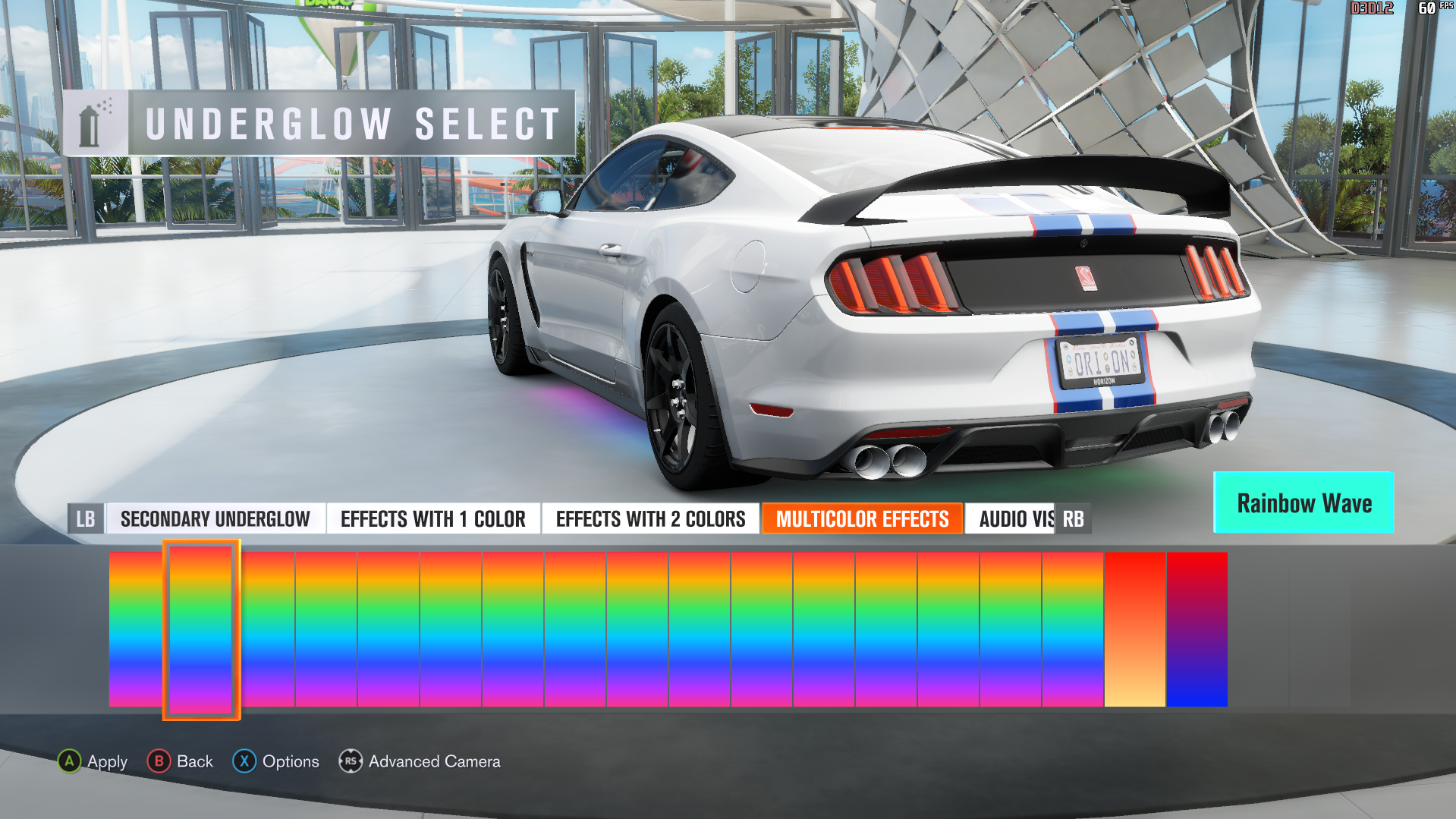
Customize each car in Garage → Designs and Paints → Underglow. Highlight colors and effects to preview them, then press A (Apply) to equip them. X (Options) adjusts brightness and animation speed, and Previous Underglows recalls saved setups.
Effect catalog · Configuration · Detailed compatibility notes
Install
Use FH3 Xbox One 1.0.125.0 offline in Azimuth with FH3 Mod Platform, compatible FH3 ExtraOptions and the separate official ANNA plugin. Close Azimuth and extract the install ZIP beside azimuth.exe, replacing fh3-mods/Underglow.dll. Keep your settings and saves.
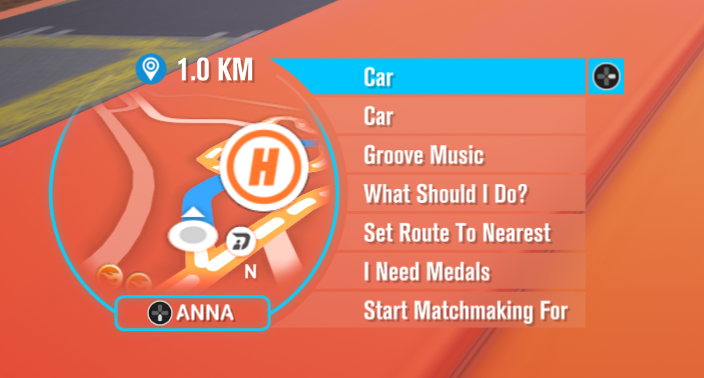
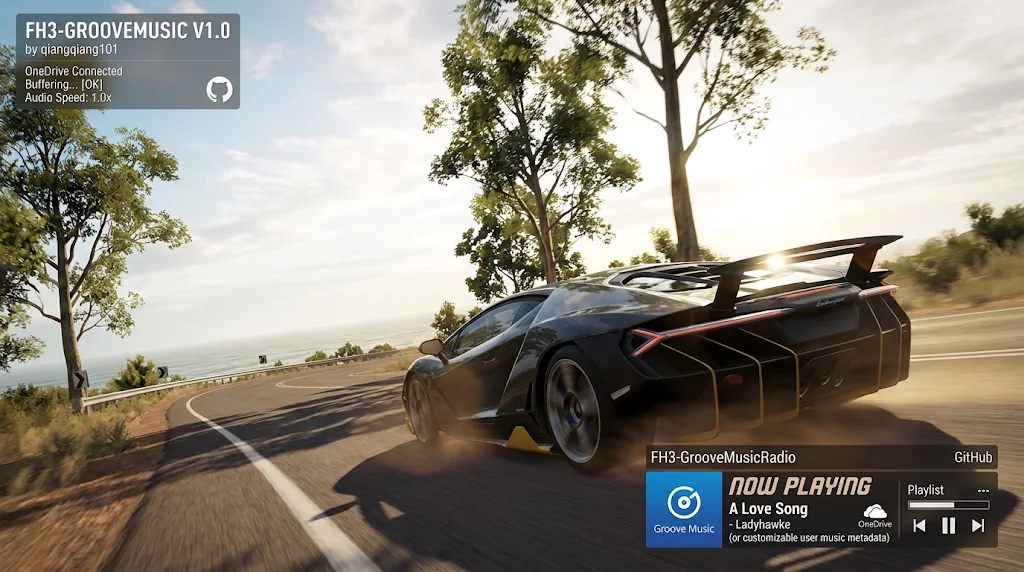
The official ANNA 1.0.2 plugin/API supplies the ANNA menu and automatic scrolling: Car > Underglow has Primary Color and Secondary Color lists, and an Effect list: pick all parts or one, then a group (Audio Visualizer, 1 Color, 2 Colors, Multicolor) and an effect, as in the Garage. The Garage's UNDERGLOW page has an Audio Visualizer tab for the radio-reactive effects. Audio effects read the car radio, and Groove Music Radio too when it is installed (every edition). Install its complete package, including media/UI/Controls/HUDAnnaControl.xaml, to display the scroll arrows. Underglow does not bundle or replace the platform, ExtraOptions or ANNA DLLs.
Build from source
Install Visual Studio Build Tools with Desktop development with C++ and the Windows SDK. In Command Prompt run:
build.cmd
The command builds the one Underglow.dll the package ships (native radio) and writes it to src/build/Underglow.dll. It uses the official ANNA plugin when it finds it and works without it (Garage only, or the game's own ANNA menu). The implementation and reproducible verification scripts are in src.
Credits and licenses
- FH2Underglow by Bartholomew Ho provided the effects and palette adapted for this project.
- FH3 Mod Platform by Levilente provides the loader and SDK; bundled upstream notices are retained.
- FH3 ExtraOptions and FH3-ANNA by Bartholomew Ho provide the supported host/plugin APIs.
See Licenses, the original notices and src/sdk/LICENSE for the existing terms and attribution.
Prerequisites
Releases & Changelogs 1
1.0.3 Update of Underglow for Azimuth FH3
New:
- Expanded ANNA → Car → Underglow with Primary Color, Secondary Color and Effect menus;
- Choose effects for all lights together or individually for the front, rear, left and right sides. Effects are grouped into Audio Visualizer, 1 Color, 2 Colors and Multicolor, with
»marking the current selection; - Added an Audio Visualizer tab to Garage → Designs and Paints → Underglow, making all 15 radio-reactive effects available in the Garage;
- Audio effects now preview on a simulated 120 BPM beat when the radio is silent: throughout Garage previews and for eight seconds after selecting an audio effect in ANNA. Real music takes over when available.
Fixed:
- Underglow animations and audio-reactive effects now freeze in the pause menu and photo mode, then resume smoothly. Garage previews continue animating;
- Selecting a visual effect for one side clears that side’s audio-effect override while preserving the other sides’ effects.
Changed:
- Moved ANNA’s Audio Visualizer menu to Car → Underglow → Effect → All / Front / Rear / Left Side / Right Side → Audio Visualizer;
- Consolidated the separate build editions into one Underglow.dll;
- The unified build supports both the native car radio and Groove Music Radio when installed;
- Uses the official ANNA plugin when available, with a fallback to the game’s own ANNA menu when absent.
Updating:
Close Azimuth and replace fh3-mods/Underglow.dll with the updated version. Keep your existing Underglow.ini and FH3 saves.
For the expanded ANNA menus, use FH3 ANNA 1.0.2 or newer and install its complete package, including the UI files.
Thanks to @qiangqiang101 for this update!
Details
- Game / Software
- Forza Horizon 3
- Category
- Scripts
- Latest version
- v1.0.3
- Total downloads
- 1
- Page views
- 10
- First released
- November 24, 2026
- Last updated
- November 24, 2026
Comments 0
No comments yet. Be the first!
Add a YouTube video
Made a showcase or tutorial for this mod? Send the link. It appears in the gallery once it has been approved.
More in Forza Horizon 3