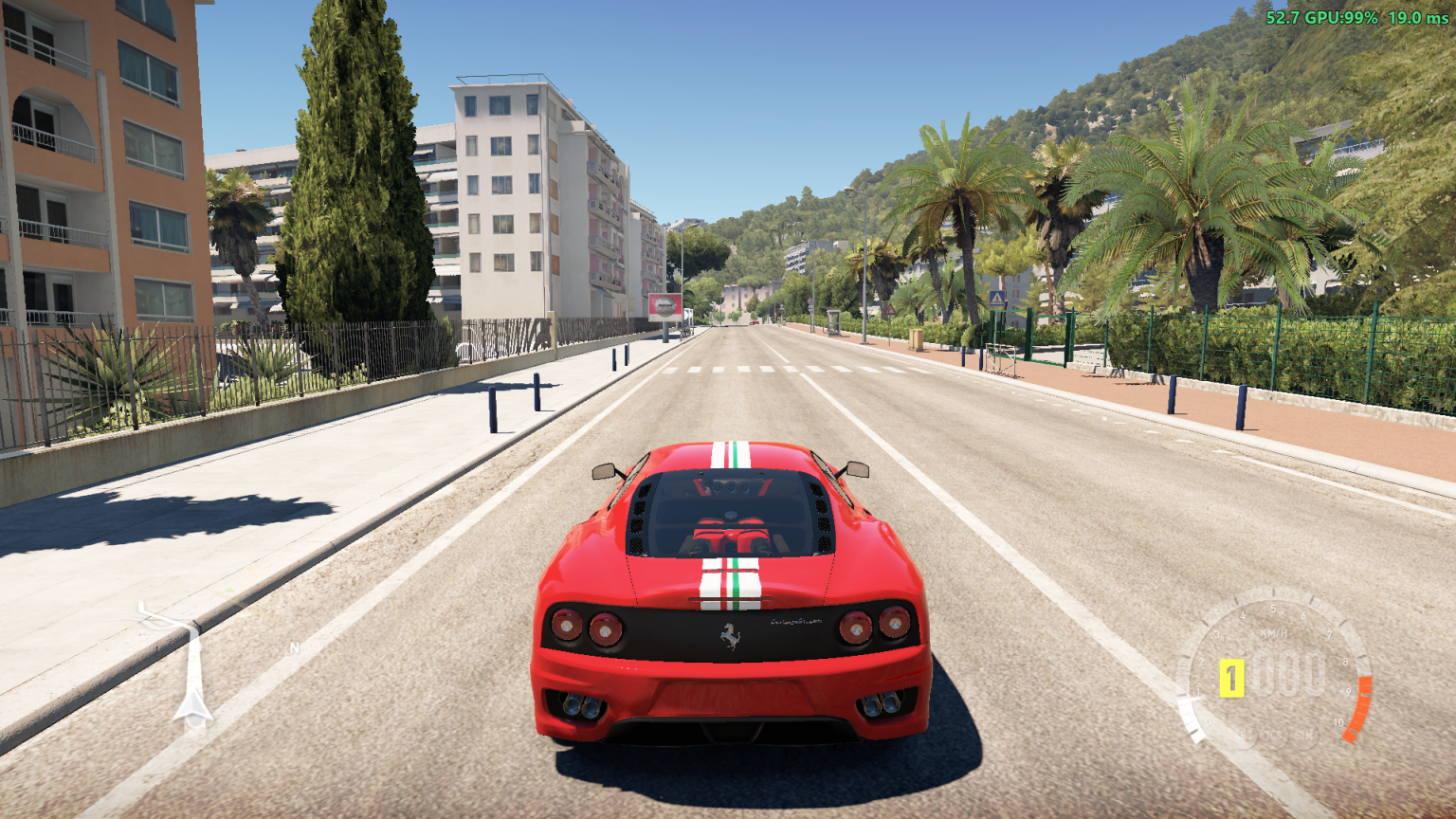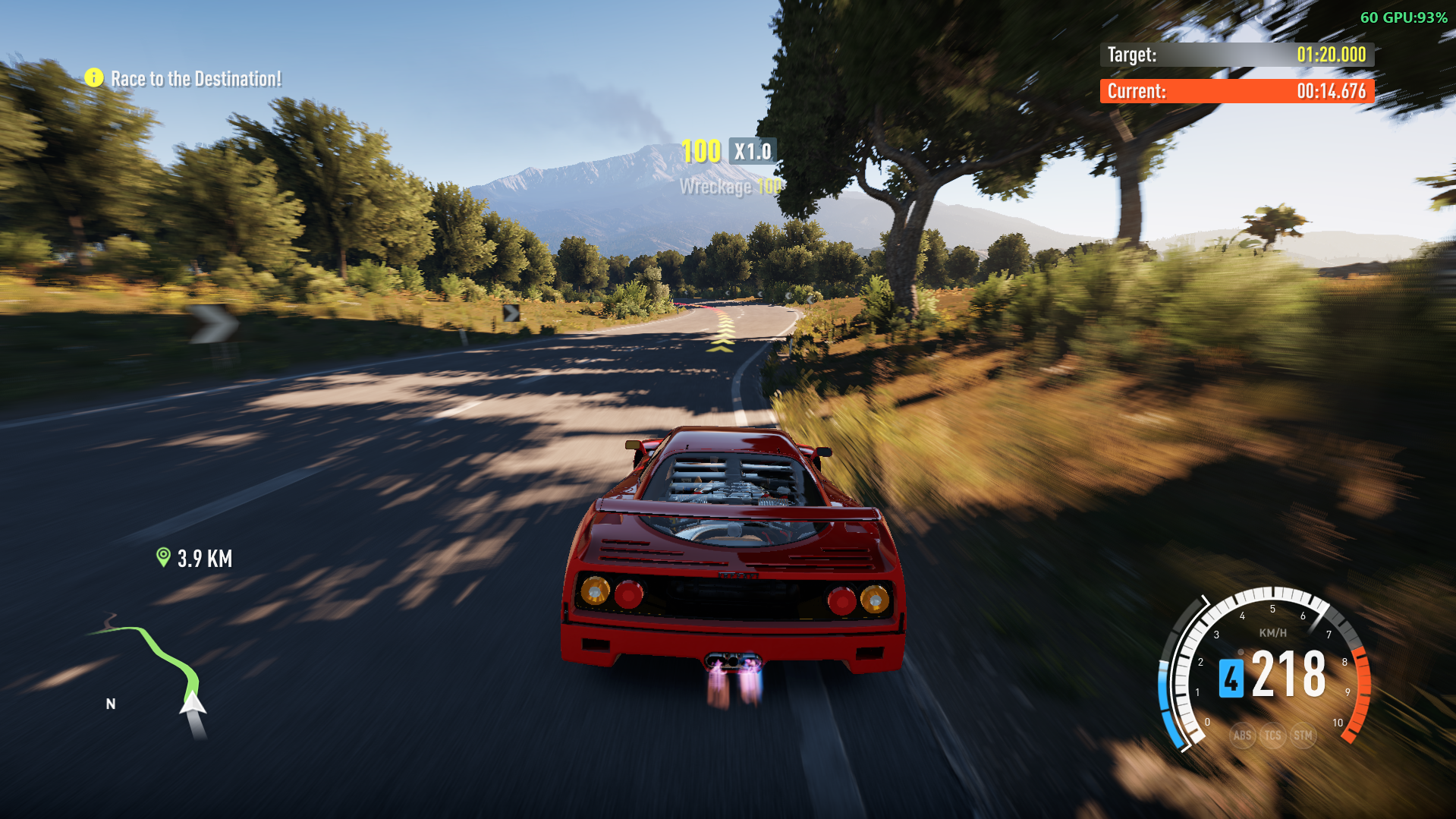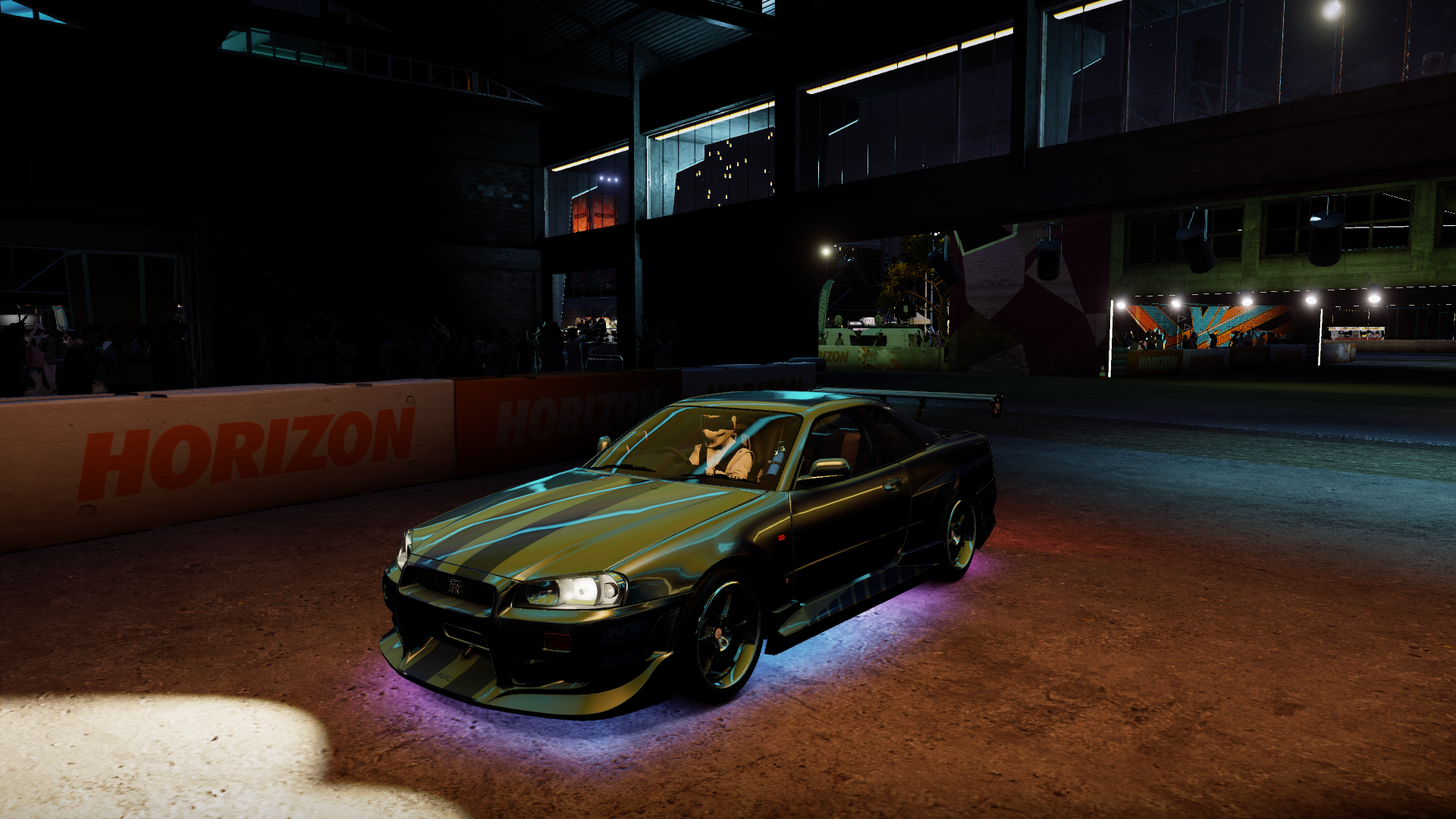
Underglow
Underglow neon for Forza Horizon 2 on PC (Azimuth), made of the game's own lights, so it really lights up the road under your car.
Description
Underglow
Neon underglow for Forza Horizon 2 on PC (Azimuth), made of the game's own lights, so it really lights up the road under your car. A mod for the FH2 Mod Platform, switched from FH2 ANNA.
Installing
You need Azimuth 1.0.1 or later. Download Underglow-v1.1.0.zip from Releases and extract it into the folder with azimuth.exe:
DWrite.dll                 the FH2 Mod Platform
fh2-mods\Underglow.dll     this mod
To get Underglow's menus in the game (Car > Underglow, D-pad down), install FH2 ANNA as well. It isn't in the zip. Without ANNA, Underglow still works: switch it, its parts and its colors on the Mods page, and choose effects in Underglow.ini or with the effect command.
Using it
- The garage: buy an Underglow Kit for each car in Garage > Upgrades > Custom upgrade > Aero and Appearance > Underglow Kit. The kit sets which parts of that car can light up (see The Underglow Kit). A car on Stock has no underglow.
- FH2 ANNA, Car > Lights: Underglow On / Off.
- FH2 ANNA, Car > Underglow:
- Primary Color and Secondary Color: 18 colors and your 10 custom ones.
- Effect > All, Front, Rear, Left Side or Right Side > a group > the effect. Each part of the car can play its own effect.
- Parts: switch the front, the rear and each side on or off (only the sides, say). Parts the car's Underglow Kit doesn't have are grayed out, here and under Effect. The colors and effects can still be changed.
- A car on Stock (no Underglow Kit) has Car > Underglow, and Car > Lights > Underglow On / Off, grayed out.
- Pause > Settings > MODS: Underglow (On/Off), each part On/Off, Require Underglow Kit, Primary Color and Secondary Color. There are more effects than a row there can list, so they're in ANNA.
- Commands (see Commands):
fh2mod Underglow effect comet,fh2mod Underglow effect left police,fh2mod Underglow part front off.
The menus are in the game's language (Brazilian Portuguese, German, French, Spanish, Mexican Spanish, Italian, Japanese, Korean, Traditional Chinese, Polish, Russian and Dutch; Czech and Hungarian show English, as the game does there), translated by the FH2 Mod Platform from 2.9.0 (English on an older one). See Translating.
The underglow stops with the game: in the pause menu and in photo mode its effects hold still.
The Underglow Kit
Each kit comes in three levels: Lv1, Lv2 and Lv3 have more LEDs (Lv2 1.5 times Lv1's, Lv3 twice), and each level costs 600 CR more than the one below.
| Kit | Parts | Lv1 | Lv2 | Lv3 |
|---|---|---|---|---|
| Stock | none: no underglow | free | ||
| Front | front | 1,000 CR | 1,600 CR | 2,200 CR |
| Back | rear | 1,000 CR | 1,600 CR | 2,200 CR |
| Sides | left and right sides | 1,250 CR | 1,850 CR | 2,450 CR |
| Front and Back | front, rear | 1,800 CR | 2,400 CR | 3,000 CR |
| Front and Sides | front, both sides | 2,000 CR | 2,600 CR | 3,200 CR |
| Back and Sides | rear, both sides | 2,000 CR | 2,600 CR | 3,200 CR |
| Front, Back and Sides | all four | 3,000 CR | 3,600 CR | 4,200 CR |
LEDs per part, with the ini's [Neon] as it comes: Lv1 10 down each side, 6 across the front and 6 across the back; Lv2 15, 9 and 9; Lv3 20, 12 and 12. Lv1 is the [Neon] Side, Front and Rear, so the levels follow them if you change those. With Require Underglow Kit off, every car has the [Neon] counts as they are.
In the garage's list, the kit you highlight is previewed on your car, in its colors and effects (Stock goes dark). Back out without buying and the car shows its own kit again. The camera glides to a view of each kit: Front looks at the front (the drivetrain upgrade's view), Back from behind (the paint menu's wing view), Front and Back low along the side (the paint menu's rims view), Back and Sides from behind and above (the rear wing upgrade's view), and the rest at the whole car (the paint menu's body view).
A part lights up when the car's kit has it and it's switched on under Parts, so you can still turn off a part your kit has. Kits you've bought for a car stay bought: switching back to one is free.
Turn off Require Underglow Kit (Mods page, or RequireKit=0 in the ini) to let every car light every part, as before the kit existed. Every car starts on Stock, so with the setting on, a car has no underglow until you buy it a kit.
The kit on each car you own is kept beside the game's saves, in data\titles\1A96545B\Underglow\player-1\UnderglowGarage.json (the player-N saved last), written when you fit a kit. It's outside the saves folder on purpose: Azimuth checks the hashes of what's in there. garageId is the game's id for one car you own, carOrdinal its model, kit 0 (Stock) to 7, in the table's order, and leds its level, 1 to 3.
The same file keeps each car's own colors and effects. When you choose a color or an effect in ANNA, it's saved for the car you're driving (color, color2, frontEffect, rightEffect, rearEffect, leftEffect, numbered as in the ini). A car you haven't set up in ANNA uses the colors and effects in Underglow.ini, which the Mods page and the commands change.
The garage upgrade works the way NitroSystem's NOS Kit does: the kit's rows go into the game database through the platform, and the game's database queries are edited in memory. Nothing of the game changes on disk. Buying a kit goes through the game's own shop, so the save records it in its list of bought parts (part type 48). Those entries stay in the save if you uninstall Underglow. Back up your saves first.
Effects
The number is the effect's number in the ini.
- Audio Visualizer: Audio Visualizer (8), Audio Pulse (17), Peak Meter (18), Audio Blend (19), Bass Flash (20), Audio Sparkle (21), Center Burst (23), Audio Rainbow (22), VU Meter (29), Audio Sine (26), Audio Sync (28), Audio Party (25), Audio Star (27), Audio Bubbles (24), Audio Swirl (30)
- Effects with 1 Color (the primary): Static (0), Breathe (3), Smooth Blink (37), Blink (6), Wipe (4), Fill (14), Stack (5), Comet (13), Visor (16), Marquee (40), Motion Point (34), Bouncing Ball (31), Rain (35), Sparkle Fade (38), Rotating Beam (36), Breathing Circle (32), Zig Zag (39), Fractal Motion (33), Lightning (11)
- Effects with 2 Colors (the primary and the secondary): Crossing Beams (9), Swap (15), Alternate Blink (41), Gradient Wave (42), Sequence (45), Wavy (46), Two-Color Marquee (47), Moving Panes (43), Noise Map (44)
- Multicolor Effects (their own colors): Rainbow (1), Rainbow Wave (2), Color Wheel (50), Rotating Rainbow (56), Double Rainbow (51), Radial Rainbow (54), Spiral (57), Random Spin (55), Hypnotoad (10), Swirl Circles (60), Motion Points (52), Random Marquee (12), Mosaic (53), Starry Night (58), Bubbles (49), Bloom (48), Sunrise (59), Police (7)
Many of the effects from Audio Bubbles on are after those of OpenRGB Effects Plugin, written afresh for a ring of lights round a car. The ones drawn as a picture (Color Wheel, Spiral, Rotating Beam, Bubbles, Breathing Circle...) use where each light is on the car.
- Rainbow Wave, Comet, the marquees and Gradient Wave run round the car through every part that plays the same effect (and skip the parts that are off).
- The rest play on each part by itself. The front and the rear run left to right, and both sides run front to back.
- Police is red on the car's left and blue on its right.
- The audio effects listen to the car radio, and only the radio: not the engine, the tires, or the festival's stage music when your radio is off. The rear shows the bass, the left side the low mids, the right side the high mids, and the front the treble. Each band is leveled to the music, so the radio volume doesn't matter, and silence or a radio that's off stays dark. Only if Underglow can't hook the game's sound at all do they play a made-up beat.
fh2mod Underglow statussays which one it's using.
The ini
Settings are kept in fh2-mods\Underglow.ini, and saving it while the game runs applies it within half a second:
[Settings]
Neon=1
Color=0              ; the primary color: its place in the menu (0 Cyan ... 17 Lavender, 18-27 Custom 1-10)
Color2=3             ; the secondary color, the same way
Brightness=0.25      ; 1 = as bright as your headlight
FrontEffect=2        ; an effect's number (see Effects); 2 Rainbow Wave by default
RightEffect=2
RearEffect=2
LeftEffect=2
FrontOn=1            ; each part on (1) or off (0)
RightOn=1
RearOn=1
LeftOn=1
Speed=0.3            ; effect cycles a second
RequireKit=1         ; 1: a car lights only the parts of its Underglow Kit; 0: every car lights every part

[Upgrade]
Price1=1000          ; the Underglow Kits' Lv1 prices in CR, read at startup: 1 Front, 2 Back, 3 Sides,
Price2=1000          ; 4 Front and Back, 5 Front and Sides, 6 Back and Sides, 7 Front, Back and Sides
Price3=1250
Price4=1800
Price5=2000
Price6=2000
Price7=3000
LevelPrice=600       ; added for each level above Lv1

[Neon]
Side=10              ; lights down each side
Front=6              ; lights across the front
Rear=6               ; lights across the back
Height=0.01          ; meters above the ground
FrontInset=0.5       ; meters from the headlights back to the front wheels
RearInset=0.7        ; meters from the tail lights forward to the rear wheels
SideOffset=-0.2      ; meters out from the car's side (negative: in)
SideTrim=0.8         ; meters the side strips stop short of each wheel, clear of the wheel arches
Range=1              ; how far each light reaches
Power=4
Inner=60             ; the light's cone, degrees
Outer=170

[CustomColors]
Color1=0 1 1         ; 0 to 1, or 0 to 255 ("255 105 180"), or hex ("#FF69B4")
Name1=               ; the name in the menus (blank: Custom 1)
; ... up to Color10 / Name10
Keep notes on lines of their own: a ; after a value is read as part of it.
Commands
Through the platform's command tool (fh2mod.exe, in the platform zip's tools folder), while the game runs:
fh2mod Underglow status                       # the neon, its colors, effects and parts, the car's kit, and the radio
fh2mod Underglow neon on|off
fh2mod Underglow color Red                    # the primary color: a name, Custom1..Custom10, r g b or #RRGGBB
fh2mod Underglow color2 #FF69B4               # the secondary color
fh2mod Underglow effect [front|right|rear|left|all] <name or number>
fh2mod Underglow part [front|right|rear|left|all] on|off
fh2mod Underglow speed 0.5
fh2mod Underglow brightness 0.8
fh2mod Underglow tune SideTrim 0.8            # any of the [Neon] values, saved to the ini
How it works
FH2's ForwardPlus renderer keeps all the lights of a scene in one light system: a vector of 64-byte records, each pointing at a preset. Every frame the game uploads it to the GPU (0x10F6C40 beams, 0x10F6970 glows). Extra Options found the path from the player's car to its own headlight records (fh2/features/headlight_beams.c). Underglow creates its lights through the game's own light manager, each a copy of your headlight with a preset of its own (always on, its own color), placed round the car between the wheels and pointing down. The source (src/neon_mod.cpp) has the whole chain of offsets at the top.
Some cars' lights don't span the car (an IndyCar's are all at the back, on its centerline). For those, the length or width the lights can't give comes from the game's own data on the car, its wheelbase and track. tools/gen_car_sizes.py reads them from the game's databases (the base game and the car packs) into src/car_sizes.h.
In the garage, the kit's rows move the camera with the game's own shots (UICarTargetCameraPresets.xml in media\Camera.zip). The kit uses copies of five of them (the paint menu's body, rims and wing views, the drivetrain and rear wing upgrades' views) that hold the camera at their angle until it's there, added to that file by tools/gen_camera_presets.py (into src/camera_presets.h) and handed to the game through the platform. The garage ends a camera move right after each row of a part list (harmless in its own lists, where the shot doesn't change), so Underglow skips that while its own move is under way.
The Underglow Kit (src/ug_upgrade.h) uses the garage-upgrade method of Levilente's NitroSystem II (MIT License), first used by the Universal Wheel Spacers mod. It adds part type 48 to Aero and Appearance, and edits the game's upgrade-list, installed-part and install statements as they run. It answers the game's string lookup for its names, and records the garage id of the car you drive from the game's own getter. Its numbers stay clear of the other mods that use this method: part enum 48, part ids 900520-900541, string keys 0xA4E0-0xA535.
The game sets its lights' places on one thread and draws on another, and the two race: placed only where the game moves the car's lights, the neon was sometimes a frame late, trailing the car at speed. So it's placed again where the frame goes to the renderer (the beam upload), from the car's place at that moment.
The audio effects put an FMOD FFT on the game's radio bus, and read whether the car radio is on from the game's RadioSystem. The effects' clock is the player car's own update time, so they stop when the game does.
Building
You need CMake and Visual Studio 2022. The FH2 Mod Platform is a submodule. FH2 ANNA's header is copied in as src/fh2anna.h.
git clone --recursive https://github.com/qiangqiang101/FH2Underglow.git
cd FH2Underglow
cmake -S . -B build -G "Visual Studio 17 2022" -A x64
cmake --build build --config Release      # build/Release/Underglow.dll
Put Underglow.dll in fh2-mods next to azimuth.exe (with the platform's DWrite.dll next to azimuth.exe).
The Underglow Kit's garage pictures are PNGs in icons/ (200x200, and 916x458 for _LG), drawn by tools/draw_icons.py: the kit's tile and large picture from tools/icon_src/led_strip.png, and each kit's large picture, a car glowing under its parts. Each kit's tile is the game's Forza logo, the one on the Forza race bumpers and wings (Aftermarket_Logos\decal146), used straight from the game's files. tools/gen_icons.py --prefix underglow packs them into src/icon_data.h, which the DLL carries (needs pillow and numpy; takes about a minute). Both tools and tools/icontools/ come from Levilente's NitroSystem II (MIT License).
Translating
The text is translated through the platform (its docs/translating.md, in the platform submodule, has the details):
l10n/Underglow.potlists every text, with its key, where it shows and how long it may be.l10n/has one PO file per language (de.po,pt_BR.po,zh_Hant.po...), built into the DLL assrc/underglow_l10n.inc.- A translator can try a file in game without a build: put it in
fh2-mods\lang\Underglow\(pl.po, say).
After changing the text in the code, or a PO file:
python platform/tools/l10n/extract.py --domain Underglow src            # l10n/Underglow.pot
python platform/tools/l10n/po2inc.py src/underglow_l10n.inc underglow_translations l10n/*.po
tools/vfont.py and tools/check_text.py l10n <font dir> check the translations against the game's fonts, which only have the characters the game's own text uses (a missing one shows as a box).
Prerequisites
Releases & Changelogs 1
What's new
- The mod's description is now in your language. It shows on your row under Pause > MODS > YOUR MODS and on the mod's page.
- The menus switch language with the game. The rows on the mod's page under Pause > MODS now change when the game's language changes. You no longer have to restart the game first.
- Translations now use the FH2 Mod Platform's translation system. The text is the same as in 1.1.0: Brazilian Portuguese, German, French, Spanish, Mexican Spanish, Italian, Japanese, Korean, Traditional Chinese, Polish, Russian and Dutch. In Czech and Hungarian the menus are in English, as the game's own text is.
Fixes
- The underglow no longer trails behind the car at speed. It used to lag a frame behind now and then, so it seemed to drag behind the car. It now keeps up with the car.
- The default brightness is now 0.25, down from 0.5. This only applies when your
Underglow.inidoesn't setBrightness. A value you've set yourself stays as it is.
Requirements
- FH2 Mod Platform 2.9.0 or newer for the translations. Underglow still runs on 2.8.0, but everything is in English there.
- FH2 ANNA, as before, for Car > Underglow.
Upgrading
Replace Underglow.dll in fh2-mods. Your settings, custom colors and each car's Underglow Kit are kept. The [Language] section in Underglow.ini isn't needed any more and is removed the next time the game starts.
For translators
All of Underglow's text is in l10n/Underglow.pot, with one .po file per language in l10n/. To try your own translation without a new build, put the file in fh2-mods\lang\Underglow\, named for your language (pl.po, pt_BR.po, and so on). The README's Translating section has the details.
Details
- Game / Software
- Forza Horizon 2
- Category
- Scripts
- Latest version
- 1.1.1
- Total downloads
- 0
- Page views
- 1
- First released
- November 7, 2026
- Last updated
- November 19, 2026
Comments 0
No comments yet. Be the first!
Add a YouTube video
Made a showcase or tutorial for this mod? Send the link. It appears in the gallery once it has been approved.
More in Forza Horizon 2